SalahNow User Guide
Everything you need to know about SalahNow — from first launch to advanced admin features. Live pulse of masjid prayer times.
1. Getting Started
Welcome to SalahNow! Here's how to get started in under 2 minutes.
Download the App
SalahNow is available on the Google Play Store. Search for "SalahNow" or visit our homepage download link. iOS coming soon.
Create an Account
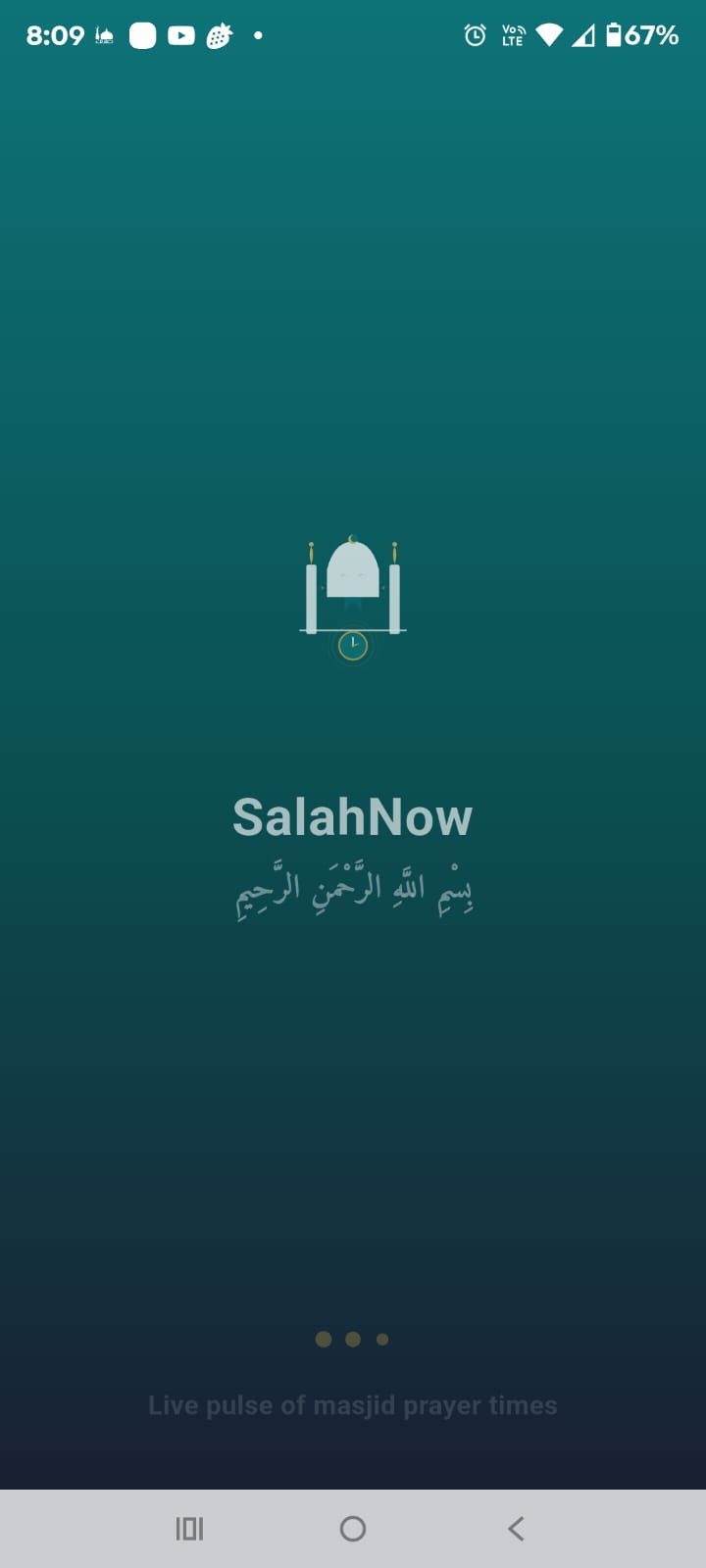
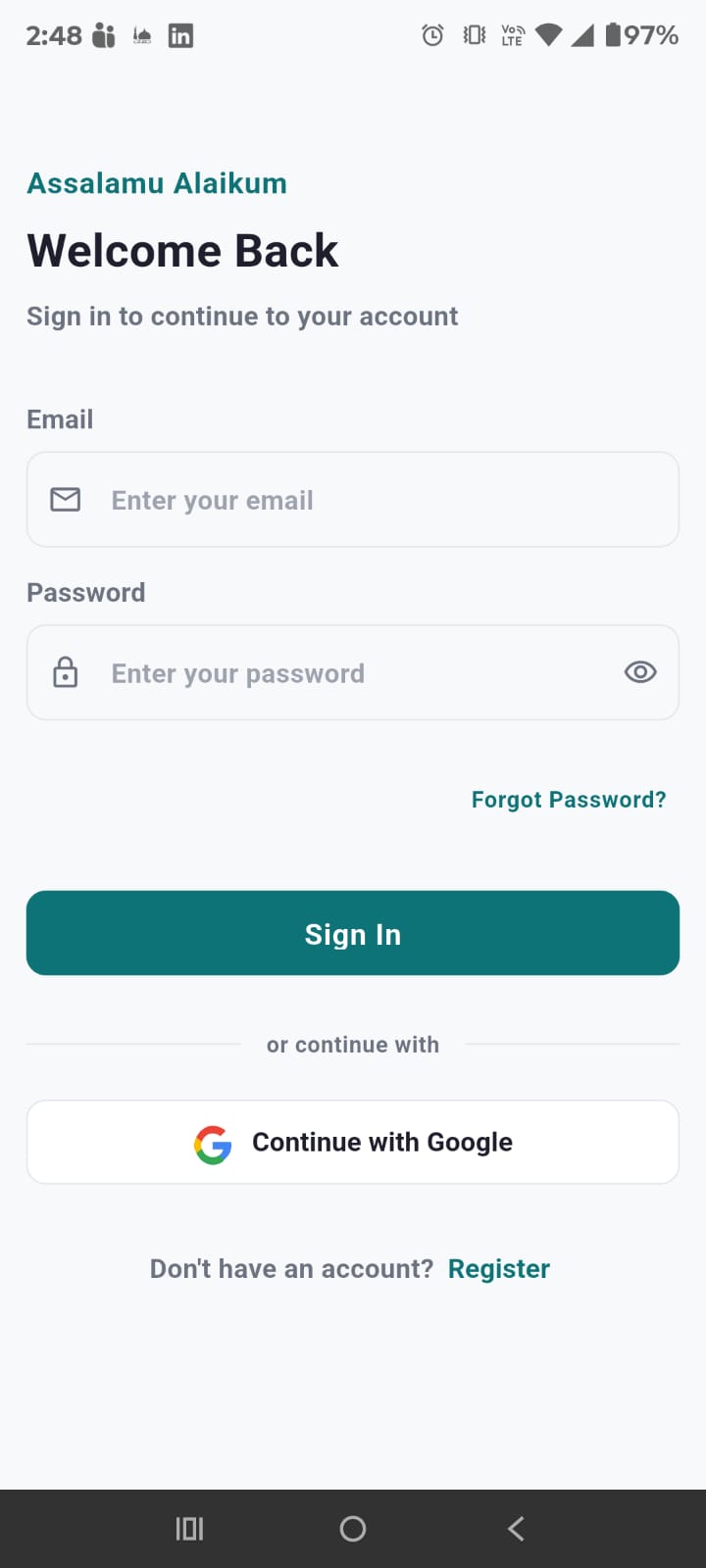
When you open the app, you'll see the splash screen with the SalahNow logo and Bismillah. Then the login screen appears.
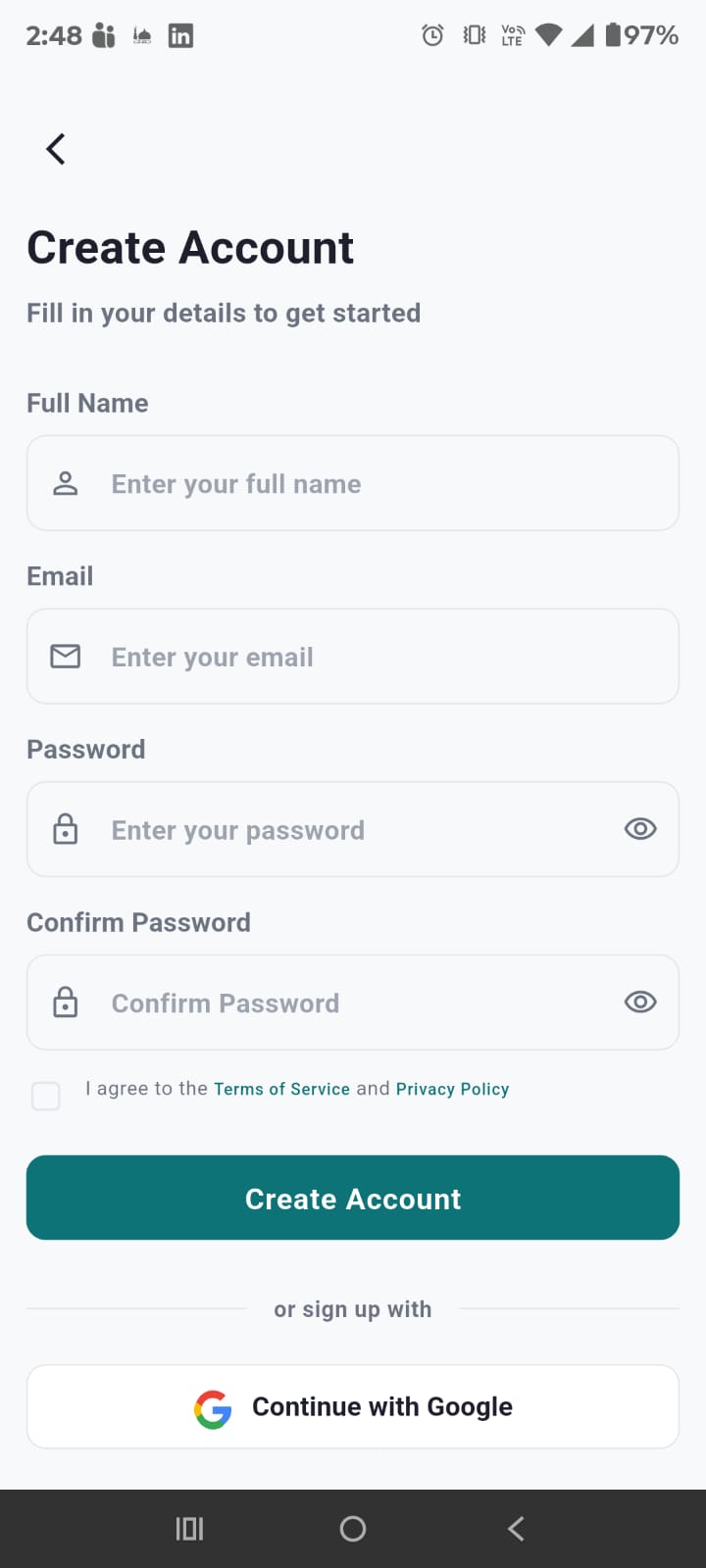
- Tap "Register" at the bottom of the login screen
- Enter your full name, email address, and create a password
- Confirm your password and accept terms & conditions
- Tap "Sign Up"
Sign in with Google or Facebook
For quick registration, tap "Continue with Google" or "Continue with Facebook". This uses your existing account — no new password needed. Your name and email are automatically filled from your profile.
Login to Existing Account
Enter your email and password on the login screen and tap "Sign In". Your session persists across app restarts using JWT tokens with automatic refresh.
2. Home Dashboard
The dashboard is your home screen — a complete overview of your prayer schedule at a glance.
Greeting Section
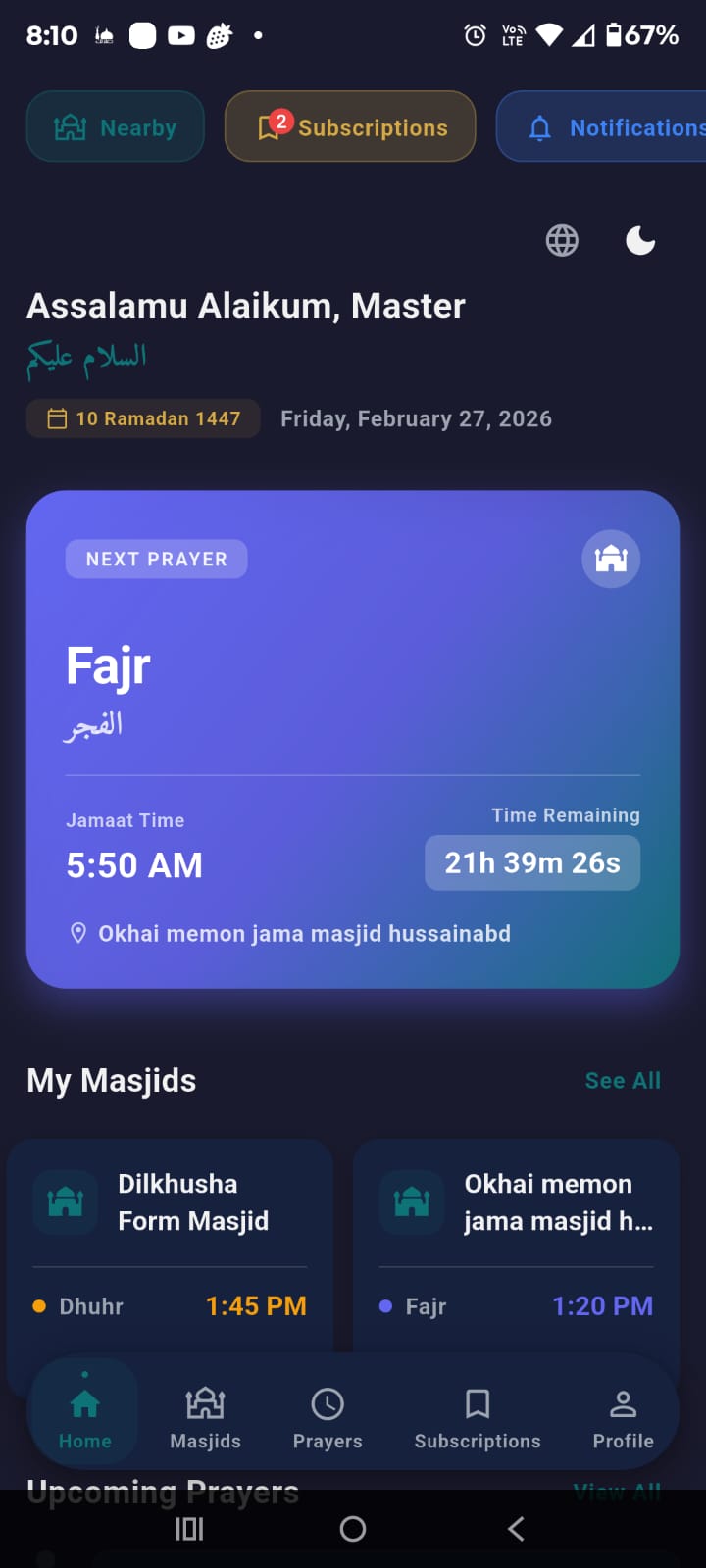
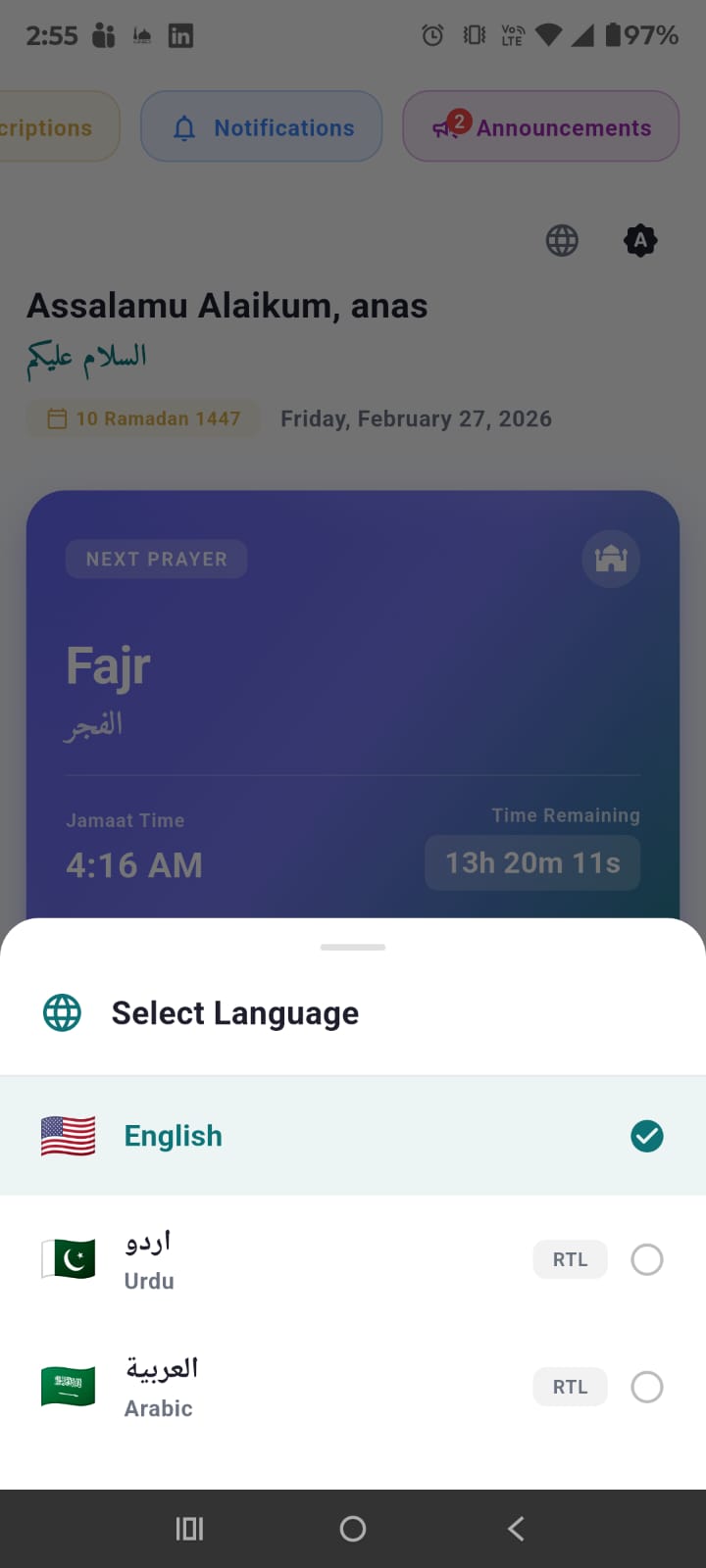
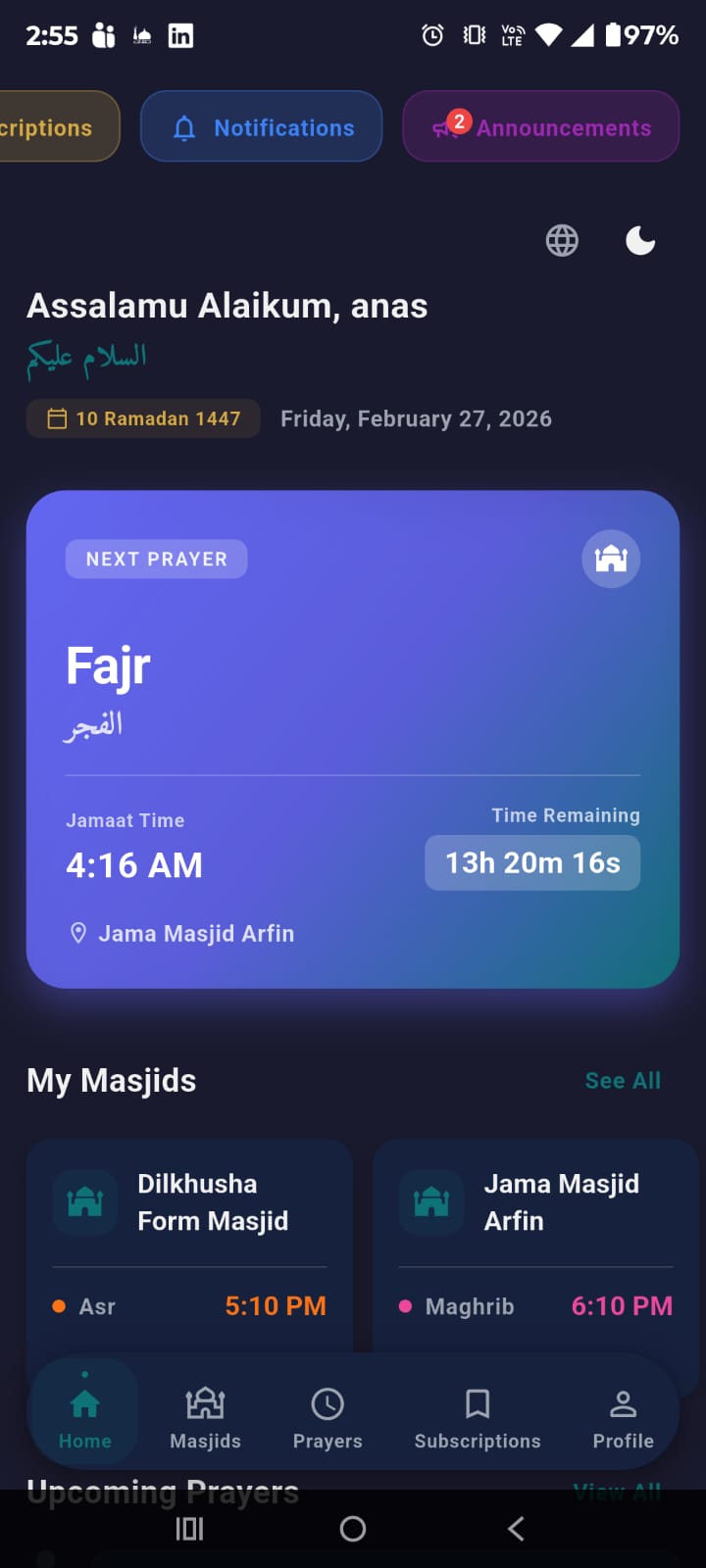
At the top you'll see "Assalamu Alaikum, [Your Name]" with the Arabic greeting below. The current date is displayed in both Hijri (e.g., "10 Ramadan 1447") and Gregorian (e.g., "Friday, February 27, 2026") formats.
Header Icons
- Globe icon — Tap to switch app language (English, Urdu, Arabic)
- Sun/Moon icon — Tap to toggle between Light, Dark, and System theme
Next Prayer Card
The large gradient card shows your next upcoming Jamaat prayer:
- Prayer name in English and Arabic (e.g., "Fajr / الفجر")
- Jamaat time (e.g., "5:50 AM")
- Live countdown timer (e.g., "21h 39m 26s")
- Masjid name where the prayer is happening
Quick Action Buttons
Three scrollable pill buttons for quick access:
- Nearby — Opens nearby masjids view
- Subscriptions — Shows count badge (e.g., "2")
- Notifications — Shows unread count badge
My Masjids
Horizontal scrollable cards showing each subscribed masjid with the next prayer name and time. Tap "See All" to go to the Subscriptions tab.
Upcoming Prayers Timeline
A vertical timeline showing all upcoming prayers from all subscribed masjids, sorted by time. The next prayer is highlighted with a golden card and "NEXT" badge. Passed prayers show "Passed".
3. Finding Masjids
The Masjids tab (second icon in bottom navigation) helps you discover and browse masjids.
List View
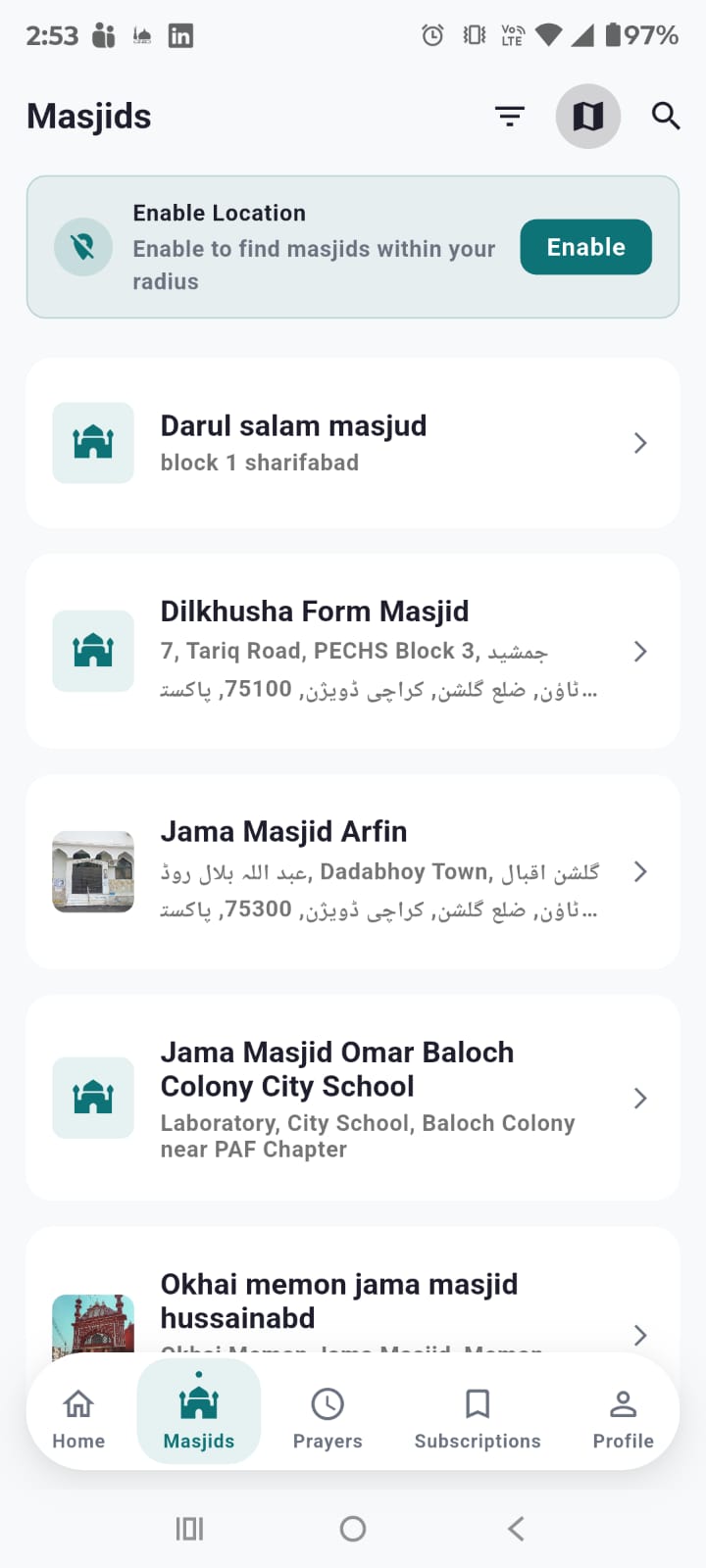
By default, masjids are displayed in a list. Each card shows masjid name, address, and distance from your location. Use the search bar at the top to filter by name.
Map View
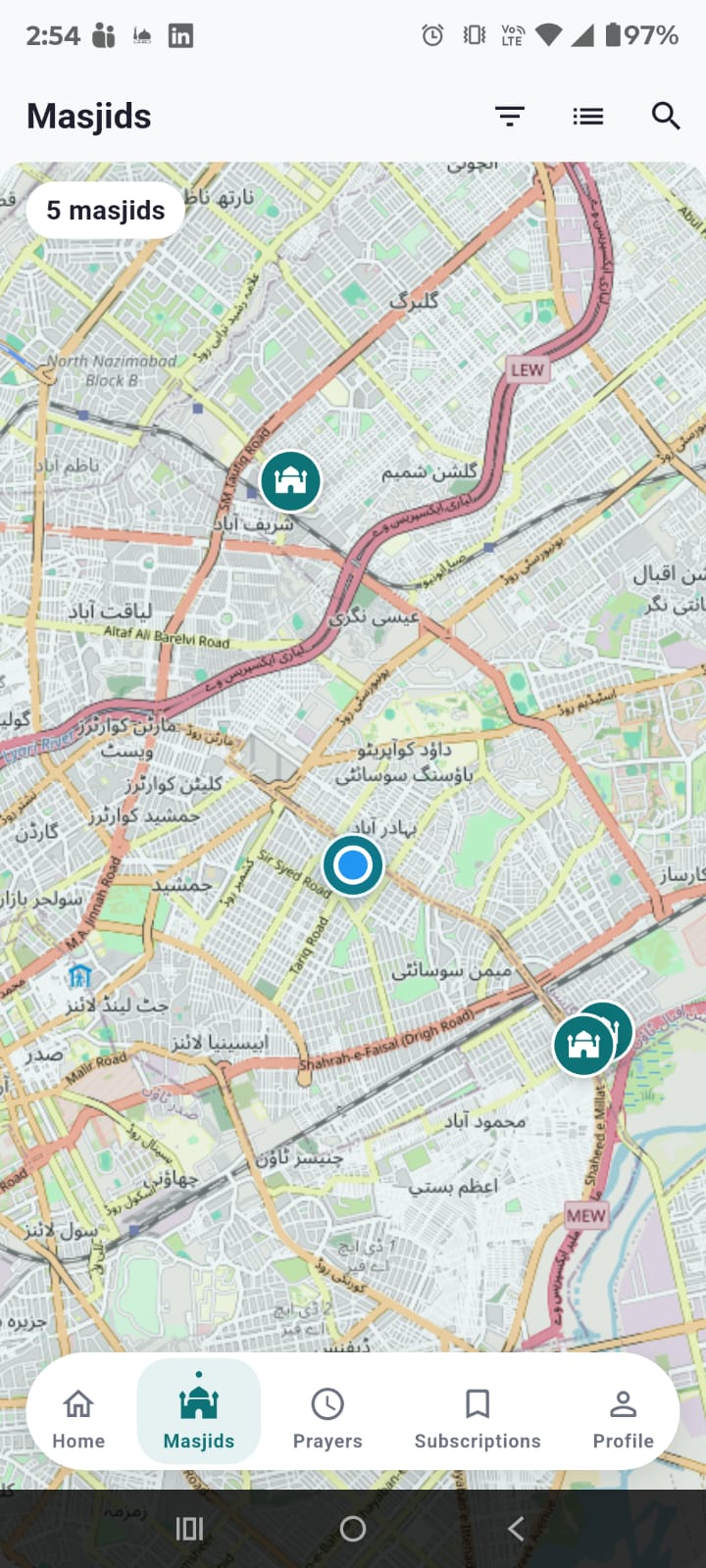
Tap the map toggle button to switch to interactive map view:
- All masjids as teal marker pins on the map
- Your location as a blue dot
- A 10km radius circle around your location
Tap any marker to see a bottom sheet with the masjid name, distance, and "View Details" button.
Location Features
The app uses GPS to find nearby masjids and calculate distances. Features include:
- Location Banner — Appears at the top when GPS is disabled, prompting you to enable it
- Enable Location Dialog — Shows an "Open Settings" button to go directly to device location settings
- Distance Display — Shows distance in km from your location to each masjid
- Auto-detection — Automatically detects your location on app start with permission handling
Filter & Sort
Use the filter sheet to sort by name or distance, filter by subscribed only, or set a maximum distance radius.
4. Masjid Detail
Tap any masjid to see its full details.
Hero Image
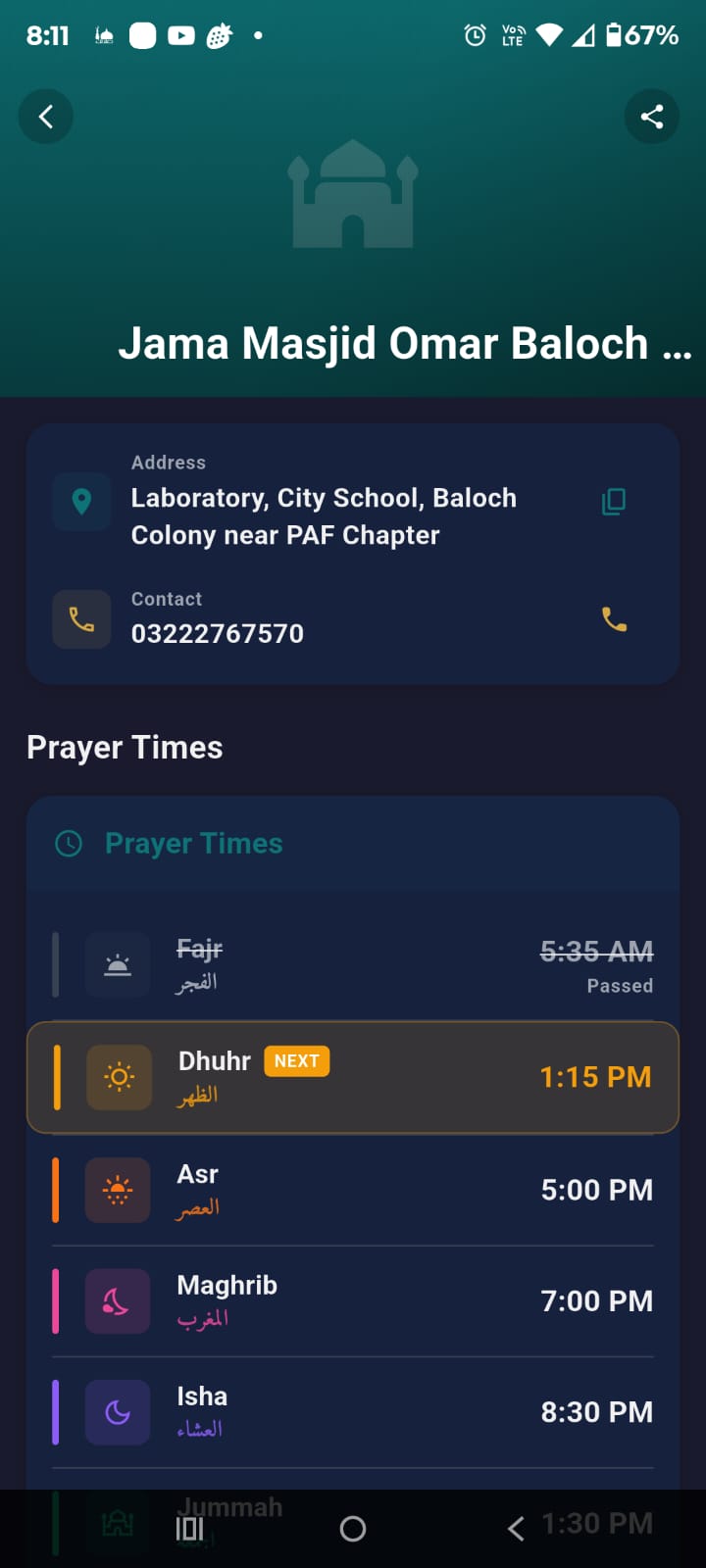
The collapsible header shows the masjid's photo (if uploaded) with the name overlaid. If subscribed, a green "Subscribed" badge appears. A share button lets you share with friends.
Address & Contact
- Address — Full address with a copy button
- Contact — Phone number with a call button
Prayer Times
All 6 prayers displayed: Fajr, Dhuhr, Asr, Maghrib, Isha, and Jummah. Each shows icon, English name, Arabic name, and Jamaat time. The next prayer is highlighted with golden background and "NEXT" badge.
Map & Directions
A real interactive map shows the masjid location. Tap "Directions" to open Google Maps with navigation.
Announcements Tab
Active announcements from this masjid are displayed in a separate tab.
Set as Default Masjid
Long press on a subscribed masjid to set it as your default. The default masjid's next prayer is shown prominently on the dashboard.
5. Subscriptions
Subscribing connects you to a masjid for prayer reminders — the core feature of SalahNow.
How to Subscribe
- Open any masjid's detail page
- Tap the "Subscribe" button
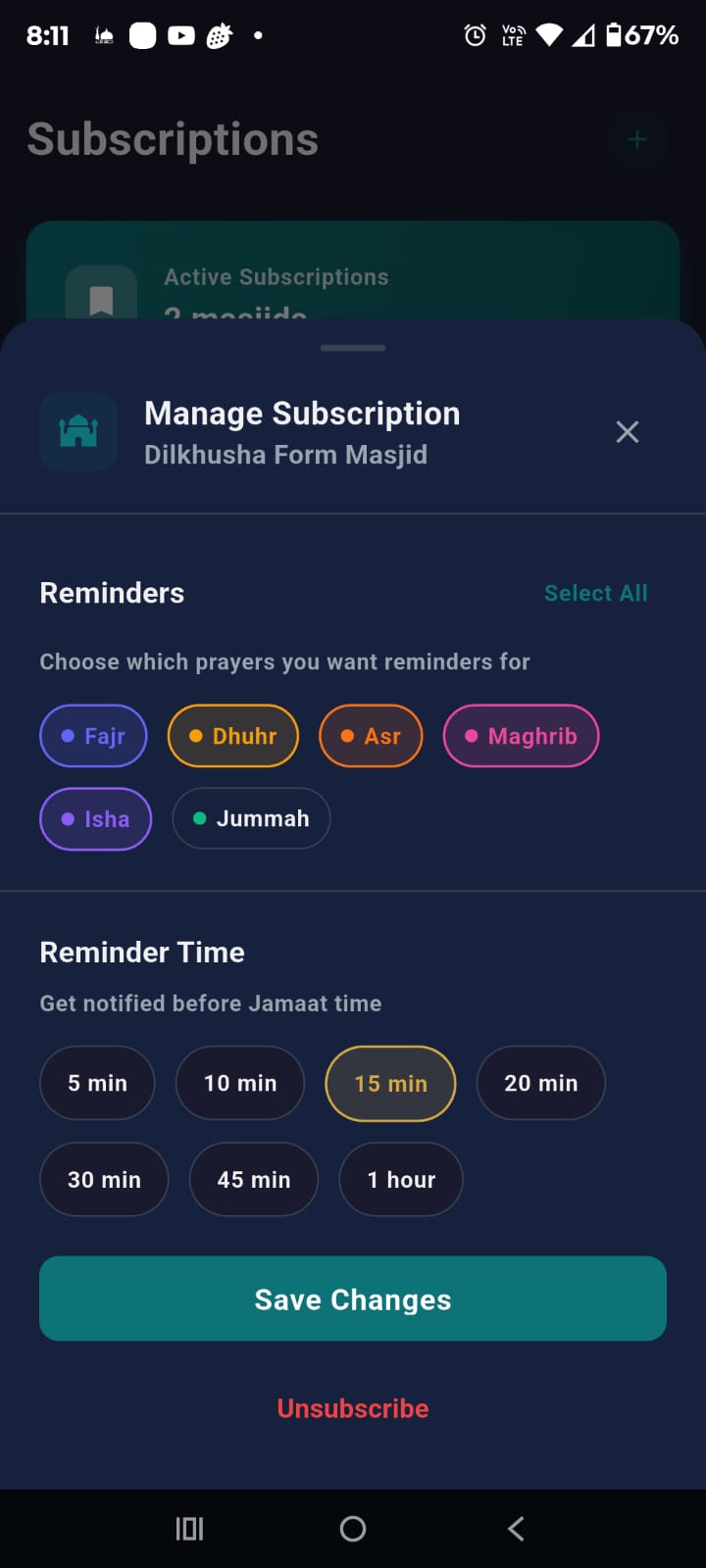
- Select which prayers to get reminders for (Fajr, Dhuhr, Asr, Maghrib, Isha, Jummah)
- Set reminder time: 5, 10, 15, 20, 30, 45 min, or 1 hour before Jamaat
- Tap "Save Changes"
Subscriptions Screen
Go to the Subscriptions tab (4th icon). You'll see:
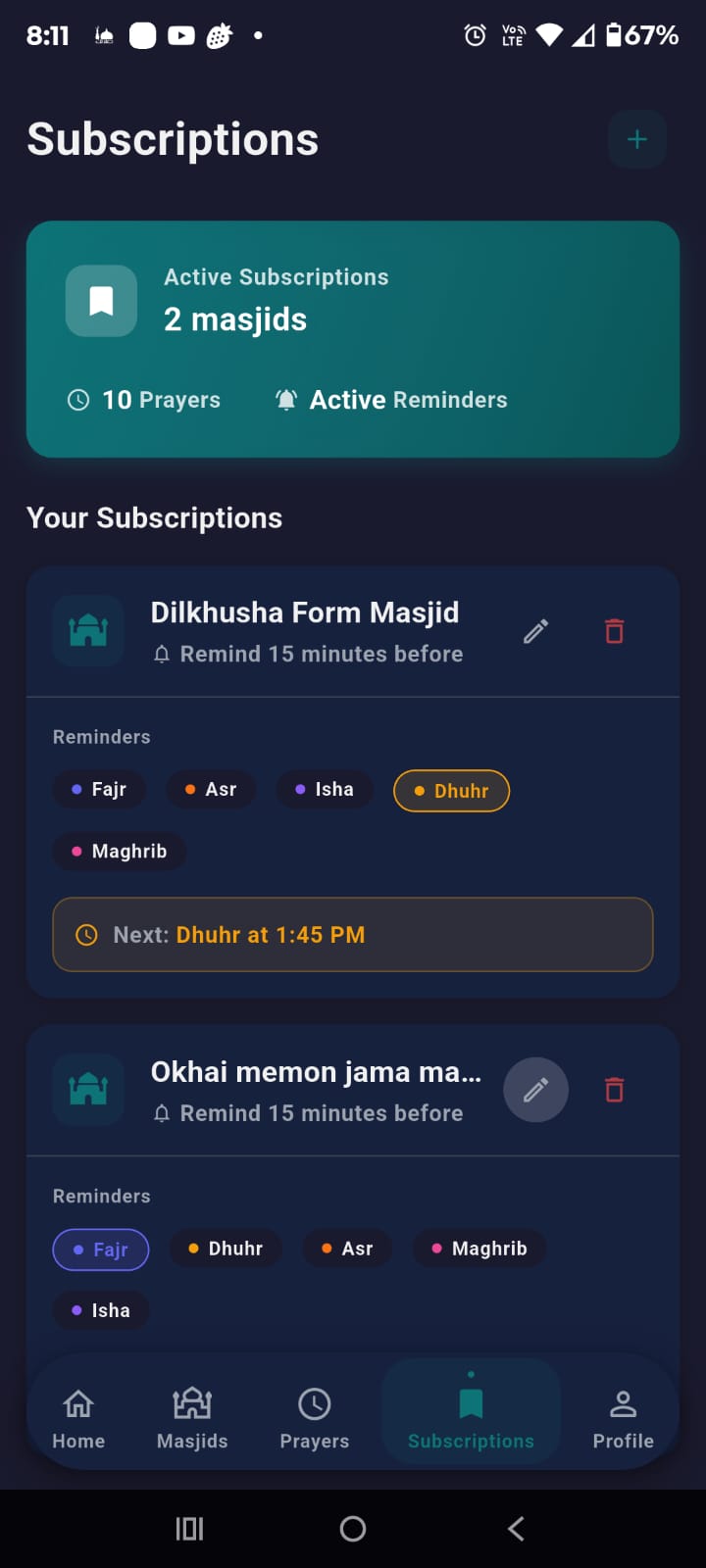
- Summary card — Total subscriptions, prayer count, active reminders
- Subscription list — Each masjid with reminder time and prayer chips
- Next prayer indicator — Shows upcoming prayer (e.g., "Next: Dhuhr at 1:45 PM")
Edit & Delete
Tap the pencil icon to edit prayer selections or reminder time. Tap the trash icon to unsubscribe with confirmation.
Multiple Subscriptions
Subscribe to as many masjids as you want. All prayers appear in your timeline.
6. Prayer Times
The Prayers tab (3rd icon) shows a comprehensive view of all prayer times.
Date Display
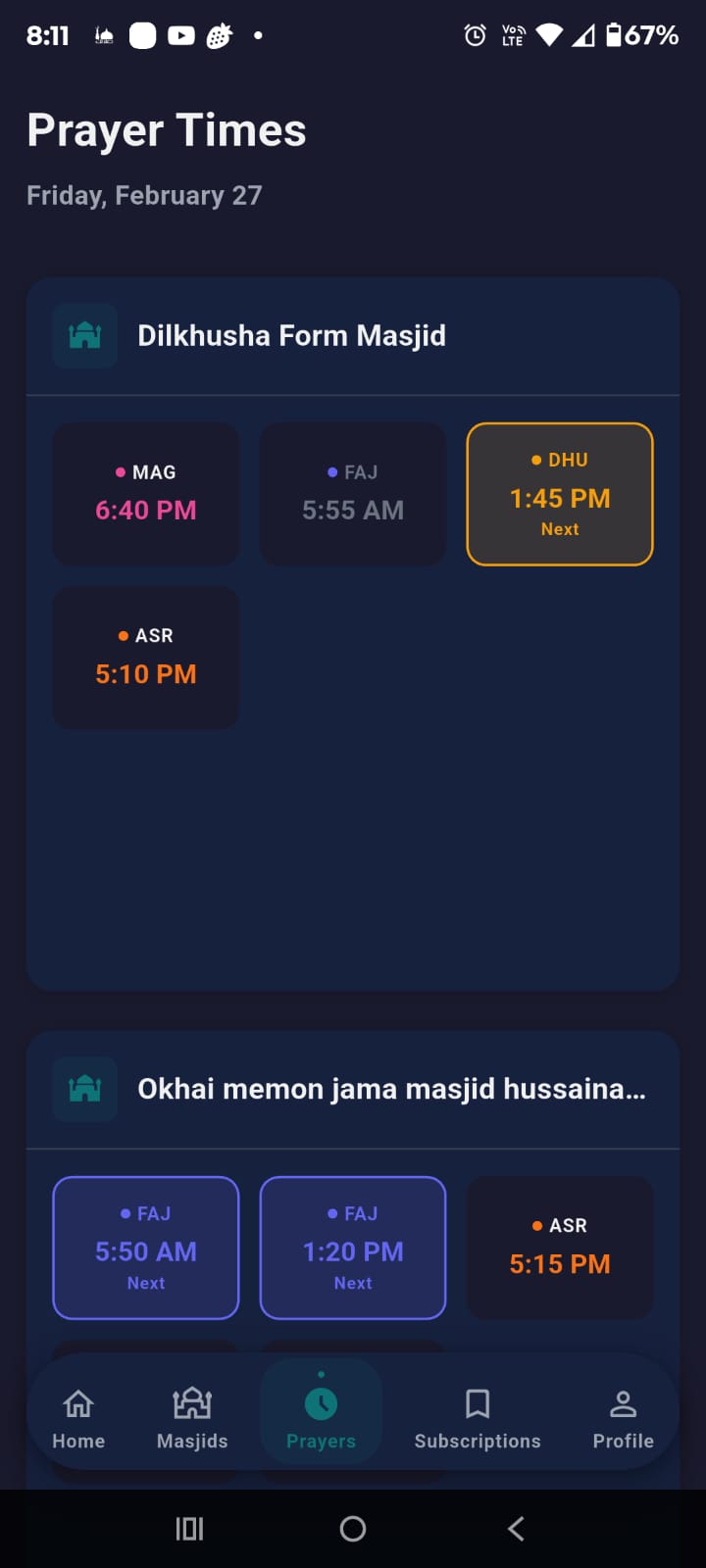
The current day and date is shown at the top (e.g., "Friday, February 27").
Masjid Sections
Each subscribed masjid has its own section with a grid of prayer cards:
- FAJ (Fajr), DHU (Dhuhr), ASR, MAG (Maghrib), ISH (Isha)
- Each card shows abbreviated name, colored dot, and Jamaat time
- The next prayer has golden highlighted border and "Next" label
7. Notifications & Reminders
SalahNow keeps you informed through push notifications and in-app alerts.
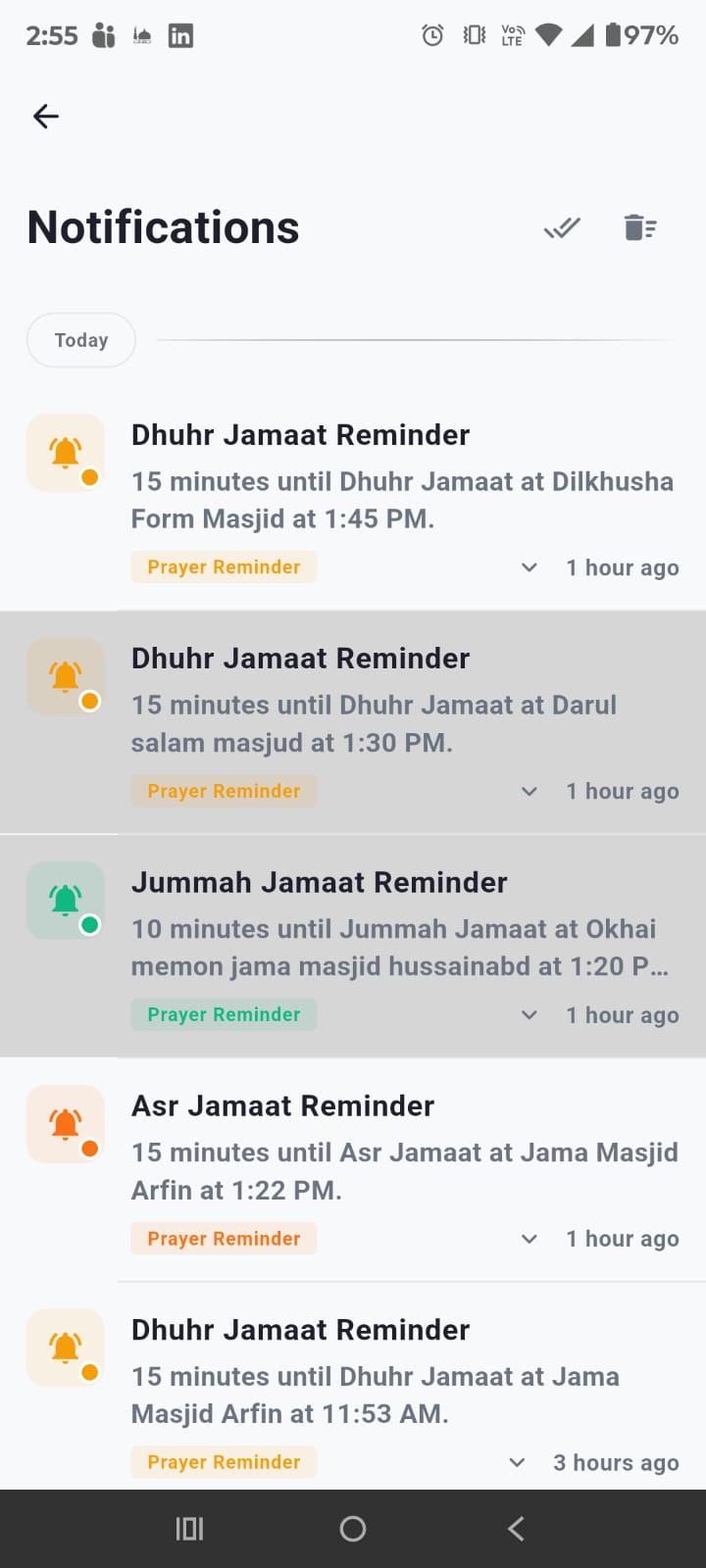
Push Notifications (FCM)
You'll receive push notifications for:
🕌 Prayer Reminders
Sent X minutes before Jamaat time based on your setting. Shows prayer name, time, and masjid.
⏰ Time Updates
When an admin changes a Jamaat time. Shows old and new times.
📢 Announcements
When a subscribed masjid posts a new announcement. Urgent ones are marked.
📱 In-App Banners
Toast banners slide from top when app is open. Color-coded by type.
Notification Screen
- Timeline-style list grouped by date (Today, Yesterday, etc.)
- Tap to expand notification details
- Swipe left/right to dismiss with undo
- "Mark All as Read" and "Clear All" buttons
- Unread indicator (accent dot) for new notifications
8. Announcements
Masjid admins can post announcements for events, schedule changes, Ramadan timings, and more.
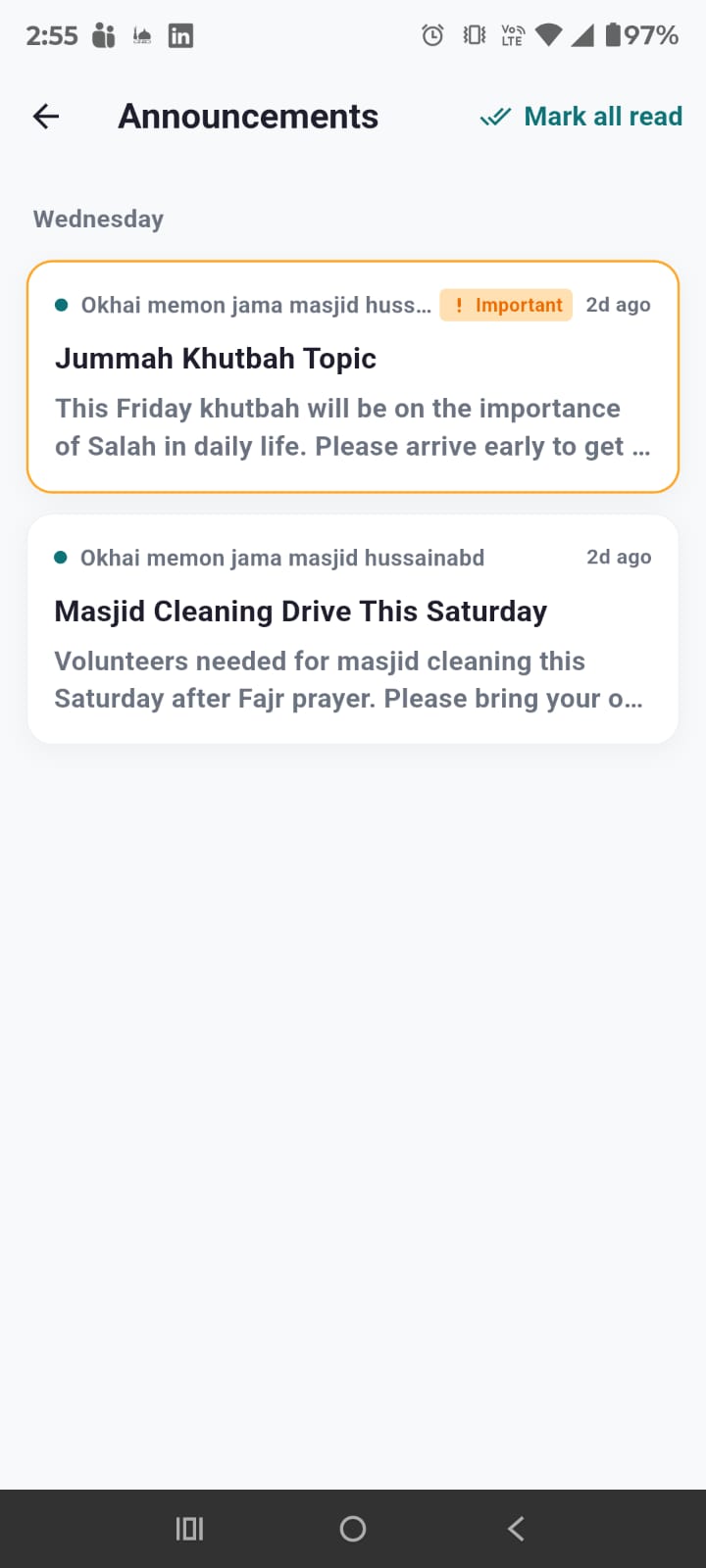
Viewing Announcements
Tap "Announcements" quick action on the dashboard to see all announcements from subscribed masjids, sorted by priority and date.
Priority Levels
- Normal — Regular updates and information
- Important — Significant announcements needing attention
- Urgent — Critical updates, marked with [URGENT]
Expiration
Some announcements have an expiry date set by the admin. Expired announcements are automatically hidden.
9. Profile & Settings
The Profile tab (5th icon) manages your account and app settings.
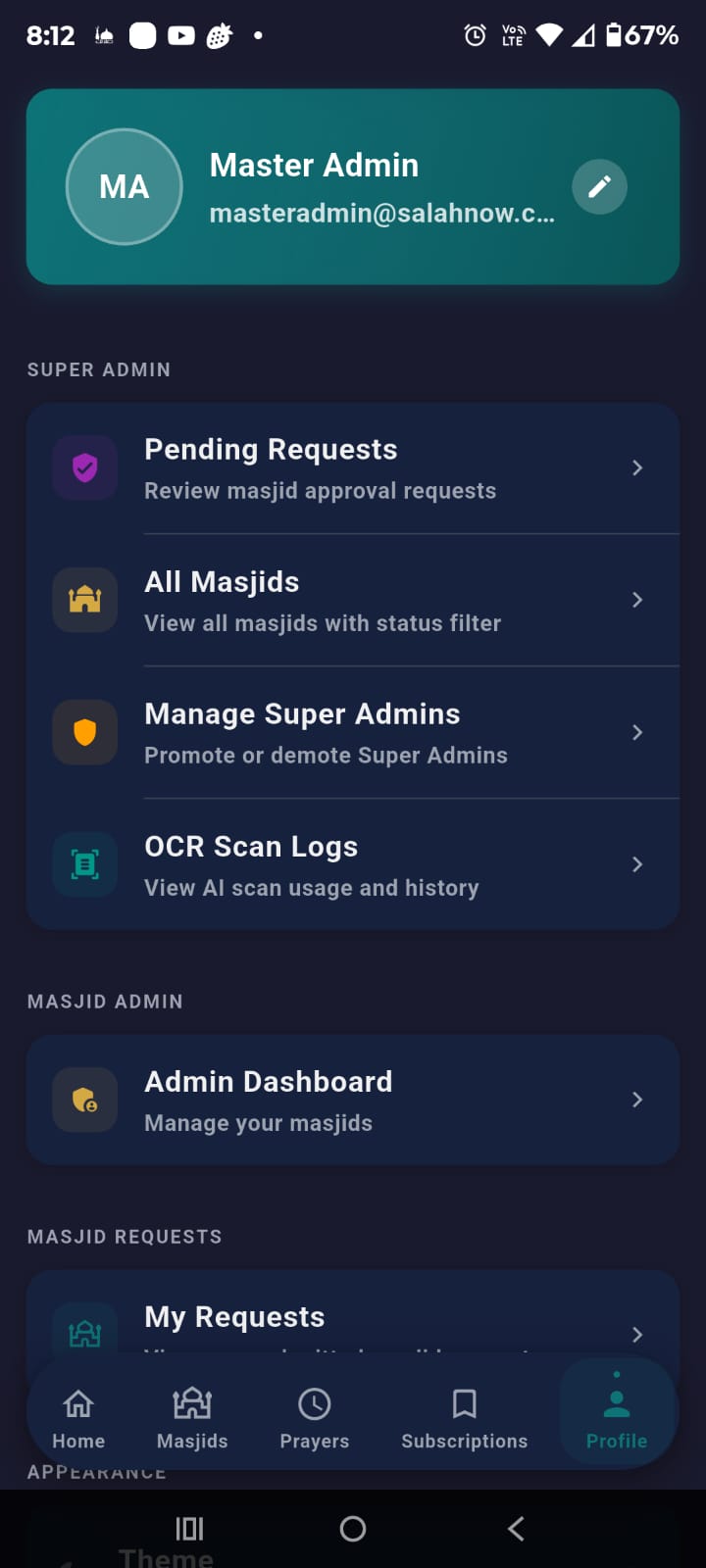
Profile Card
Shows your name, email, and avatar. Tap the pencil icon to edit your profile (change display name, photo).
Admin Sections
Additional sections appear based on your role:
- Super Admin — Pending Requests, All Masjids, Manage Super Admins
- Masjid Admin — Admin Dashboard to manage your masjids
- Masjid Requests — My Requests to view submitted requests
Settings
- Theme — Light, Dark, or System
- Language — English, Urdu, or Arabic
- Push Notifications — Toggle on/off
- Reminder Sound — Toggle notification sound
- Vibration — Toggle vibration
- Change Password — For non-social login users
About & Legal
App Guide, Privacy Policy, Terms of Service, and Open Source Licenses.
Logout
Tap "Logout" with confirmation dialog. Your subscriptions remain on the server.
10. Password Management
Secure your account with forgot password and change password features.
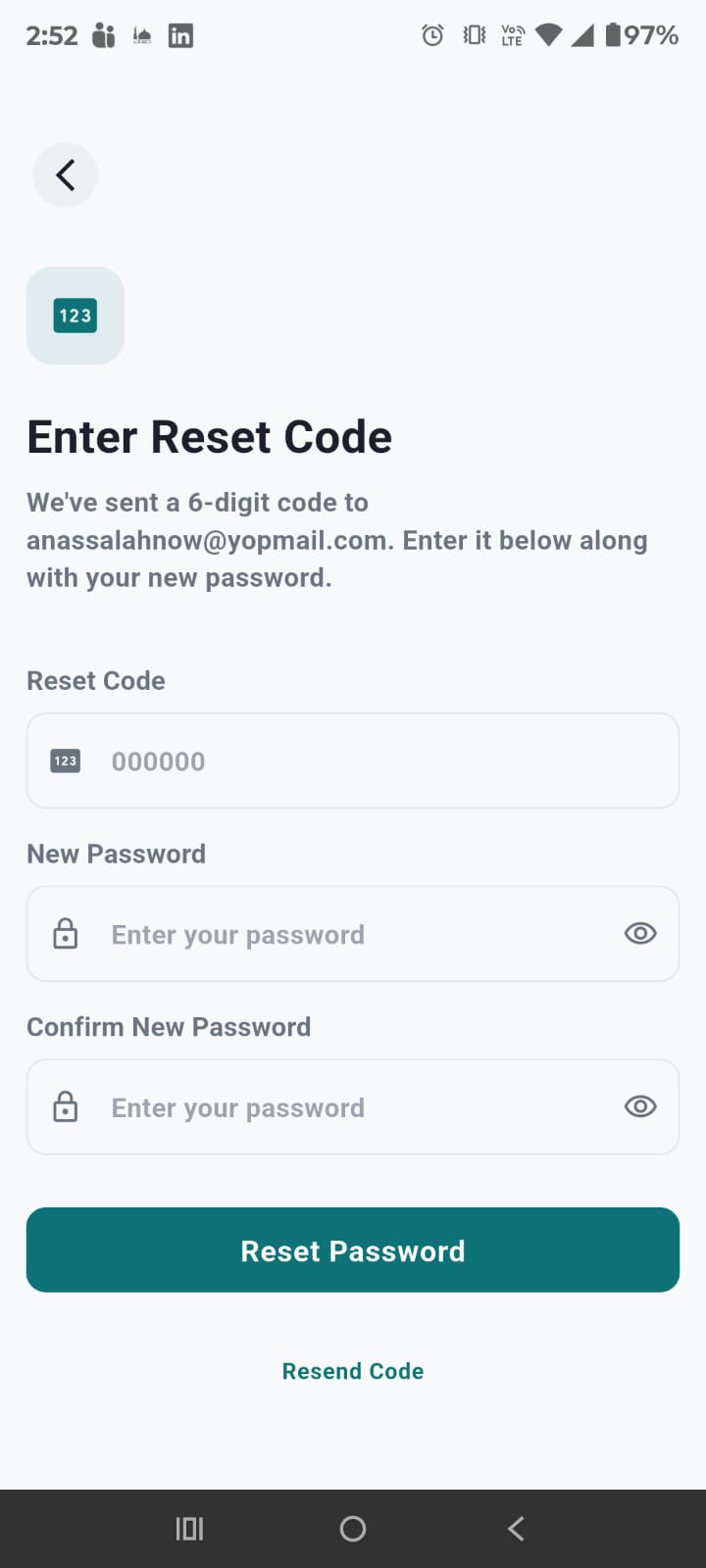
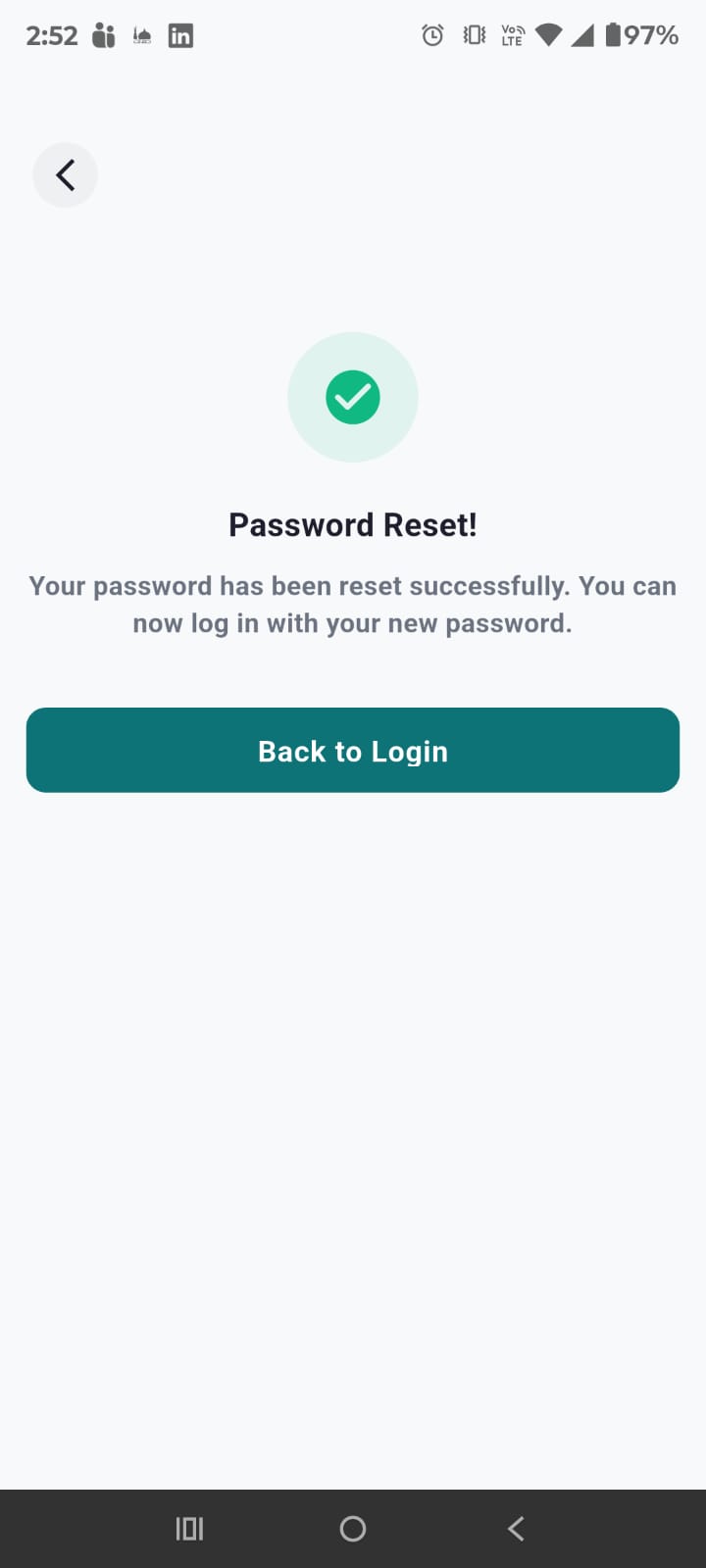
Forgot Password
- Tap "Forgot Password?" on the login screen
- Enter your email address
- A 6-digit OTP code is sent to your email via SMTP
- Enter the code on the Reset Password screen
- Set your new password and confirm
OTP codes expire after 15 minutes. Tap "Resend Code" if expired.
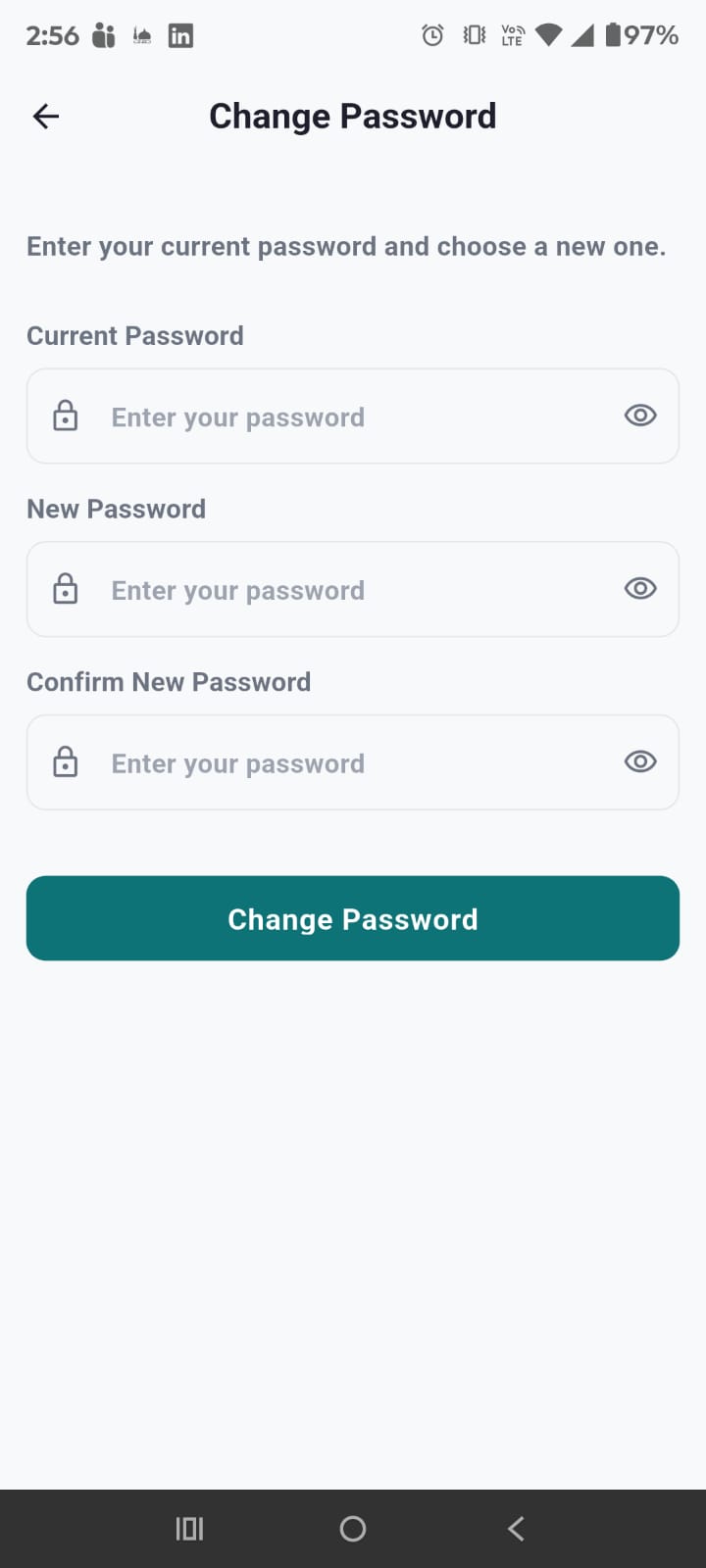
Change Password
For logged-in users (non-social login only):
- Go to Profile > "Change Password"
- Enter your current password
- Enter and confirm your new password (min 6 characters)
- Tap "Change Password"
11. Submit a Masjid
If your local masjid isn't on SalahNow, you can request to add it!
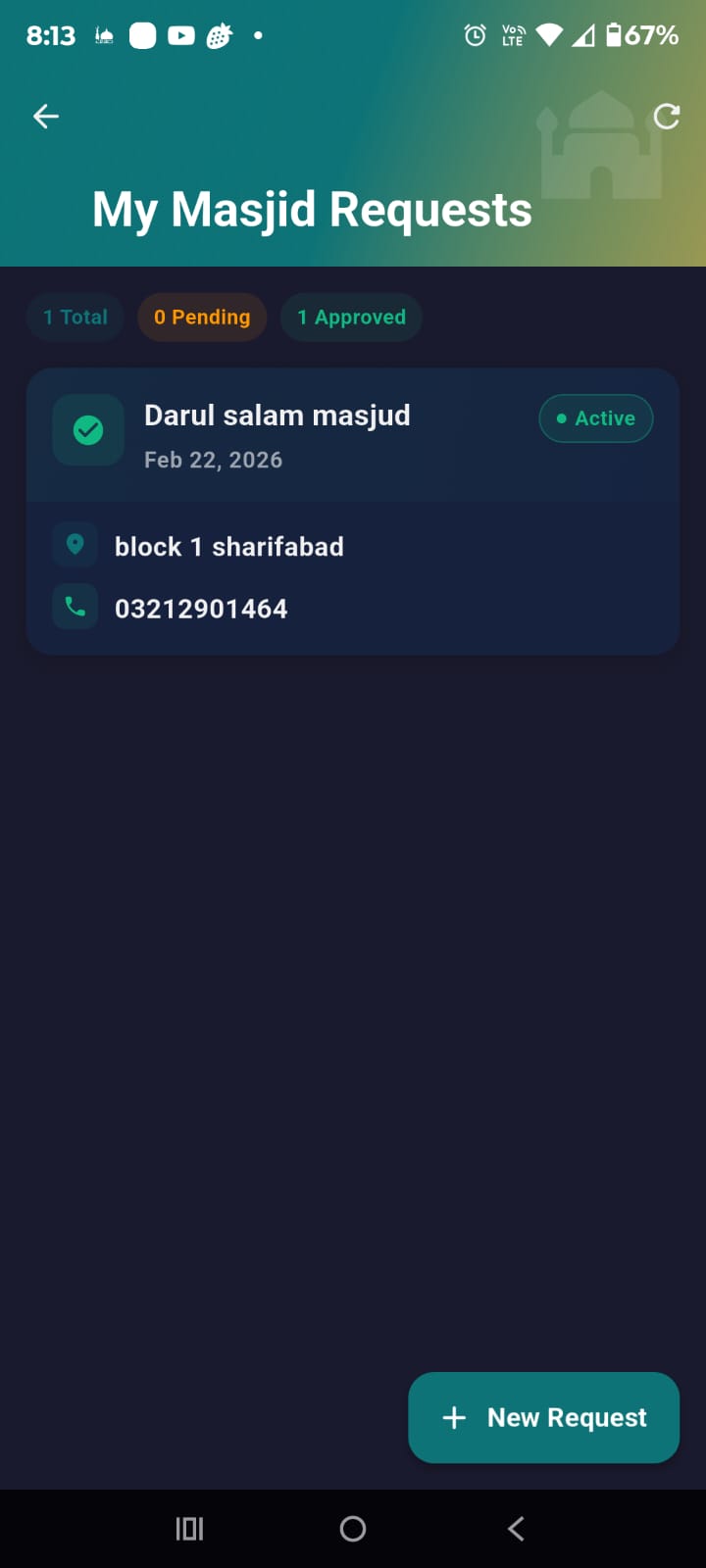
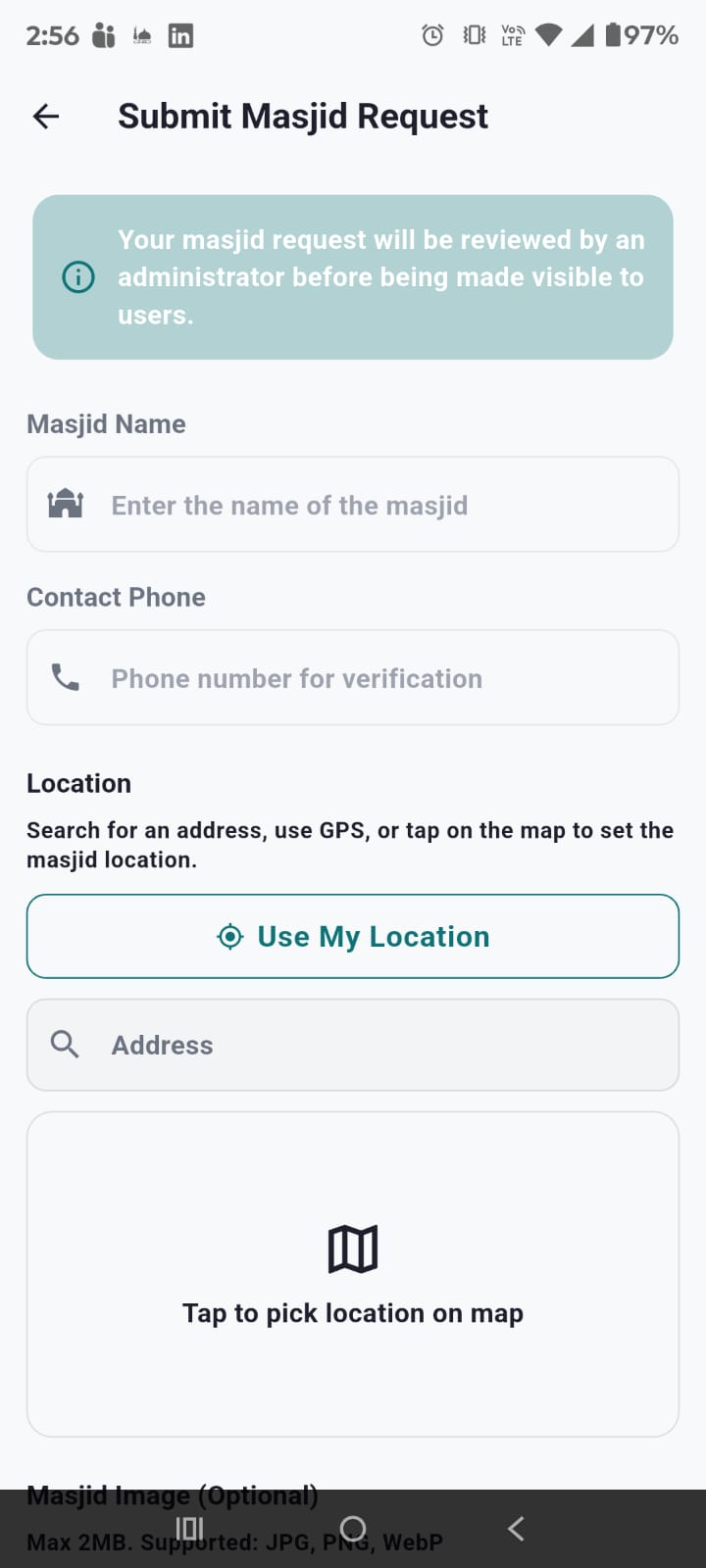
How to Submit
- Go to Profile > "My Requests"
- Tap "+ New Request"
- Fill in the form:
- Masjid Name — Official name (min 3 characters)
- Address — Search with autocomplete or type manually
- Location — Tap "Use My Location" for GPS, or use the fullscreen map picker
- Contact Phone — For verification
- Image — Optional photo (max 2MB, JPG/PNG/WebP)
- Tap "Submit Request"
Approval Process
- Pending — Awaiting Super Admin review
- Active — Approved, visible to all users
- Rejected — Declined with reason
Track status in Profile > My Requests. You can edit pending requests.
12. Dark Mode & Themes
SalahNow features a beautiful dark theme designed for comfortable use in low-light.
How to Enable
- Quick toggle: Tap the moon/sun icon in the dashboard header. Cycles Light → Dark → System.
- Settings: Go to Profile > Theme and select your preference.
Theme Options
☀️ Light Mode
Clean off-white background with teal primary accents. Ideal for daytime use.
🌙 Dark Mode
Rich charcoal background (#1A1A2E), subtle borders. Perfect for Fajr and Isha.
⚙️ System
Follows your device's dark mode setting. Auto-switches day and night.
Your theme preference is saved and persists across app restarts.
13. Multi-Language Support
SalahNow supports 3 languages with 150+ translated keys for every screen.
Supported Languages
- English — Default international language (LTR)
- Urdu (اردو) — Full right-to-left (RTL) layout
- Arabic (العربية) — Full right-to-left (RTL) layout
How to Switch
- Dashboard: Tap the globe icon in the top header
- Profile: Go to Profile > Language and select
The app instantly switches all text, navigation, and layouts. RTL languages mirror the entire UI.
Prayer Names
Prayer names are always shown in both English and Arabic (e.g., "Dhuhr / الظهر") regardless of selected language.
14. Offline Support
SalahNow works even without an internet connection.
Cached Data
The app automatically caches using Hive local storage (24-hour TTL):
- Masjid list and details
- Prayer times for subscribed masjids
- Your subscription data
Offline Banner
A banner appears at the top when you're offline, indicating cached data is being shown.
Limitations While Offline
- Cannot subscribe or unsubscribe
- Cannot receive push notifications
- Cannot submit masjid requests
- Data may not be up-to-date
Connection is restored automatically and fresh data syncs from the server.
15. For Masjid Admins
Masjid Admins manage prayer times and announcements for assigned masjids. Masjid Admin
Admin Dashboard
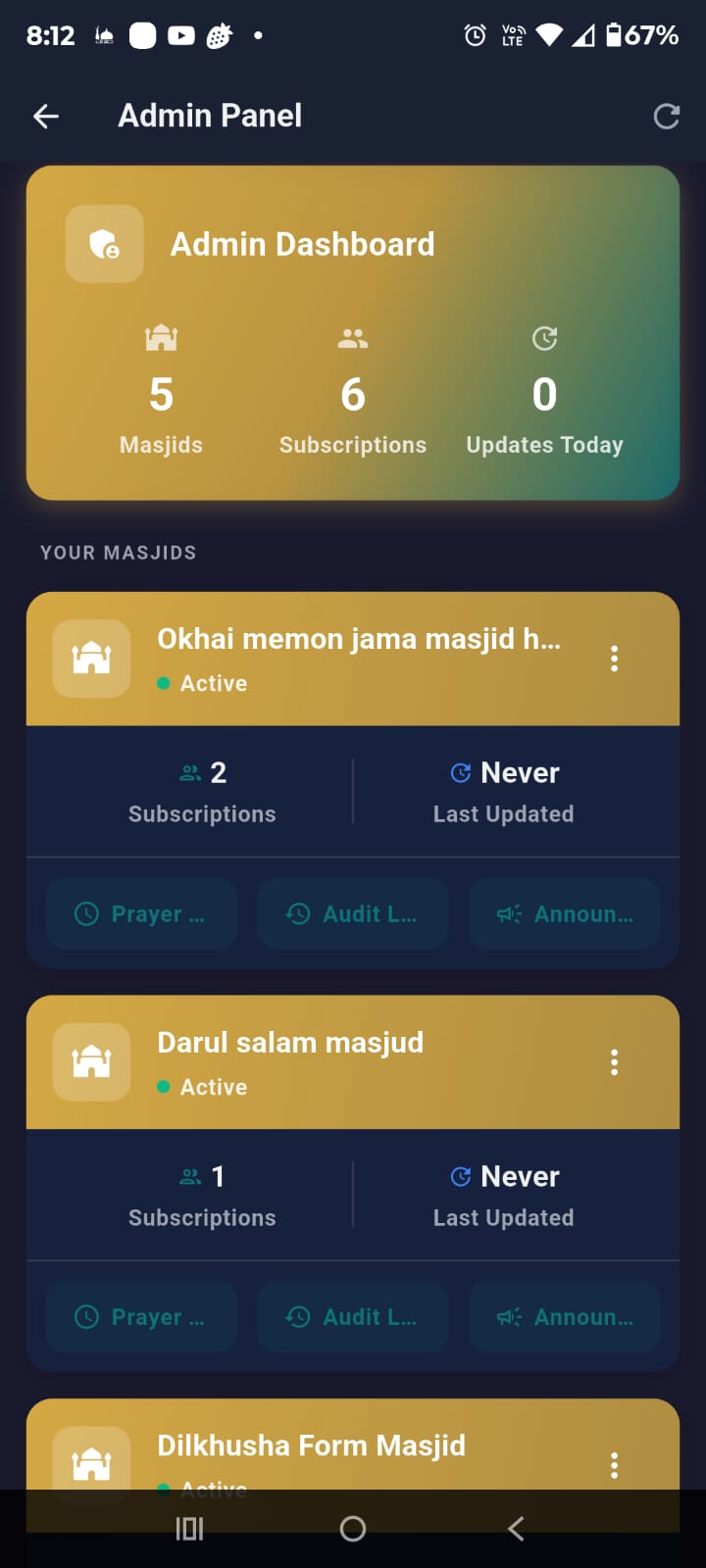
Access from Profile > "Admin Dashboard". Shows all managed masjids with stats (subscriber count, last updated) and quick actions: Edit Prayer Times, View Audit Log, Manage Announcements.
Updating Prayer Times
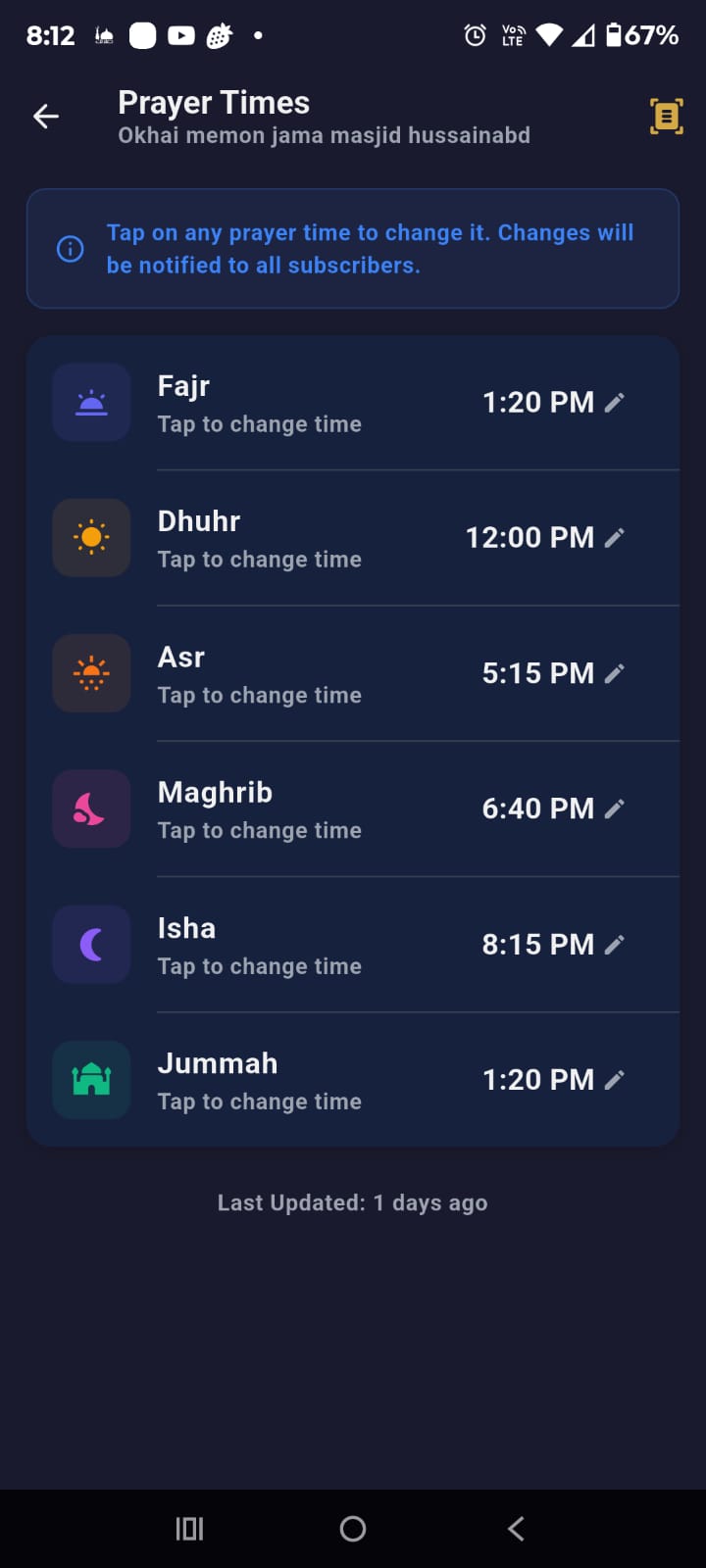
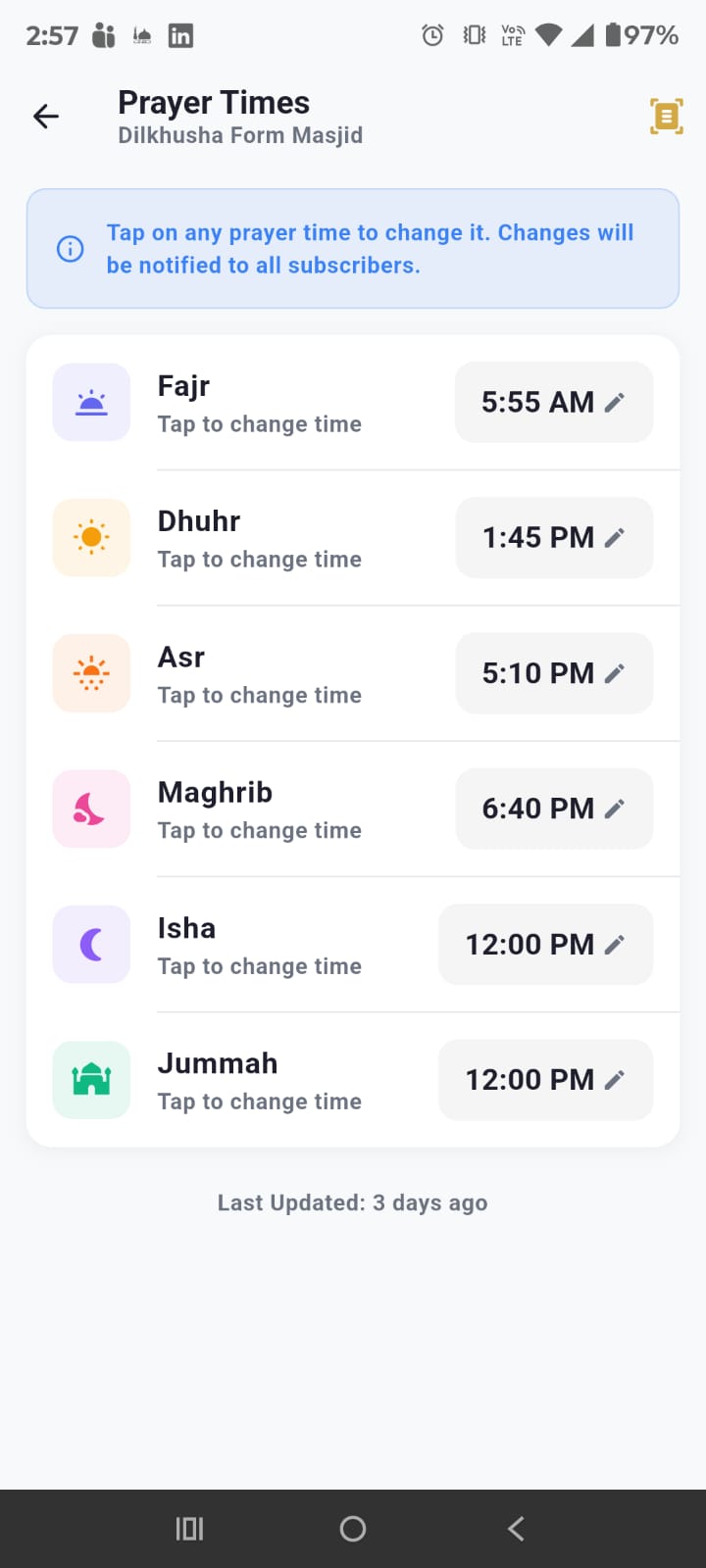
- Open Admin Dashboard > tap a masjid > "Edit Prayer Times"
- The editor shows all 6 prayers (Fajr, Dhuhr, Asr, Maghrib, Isha, Jummah) with current Jamaat times
- An info card at the top explains how to change times
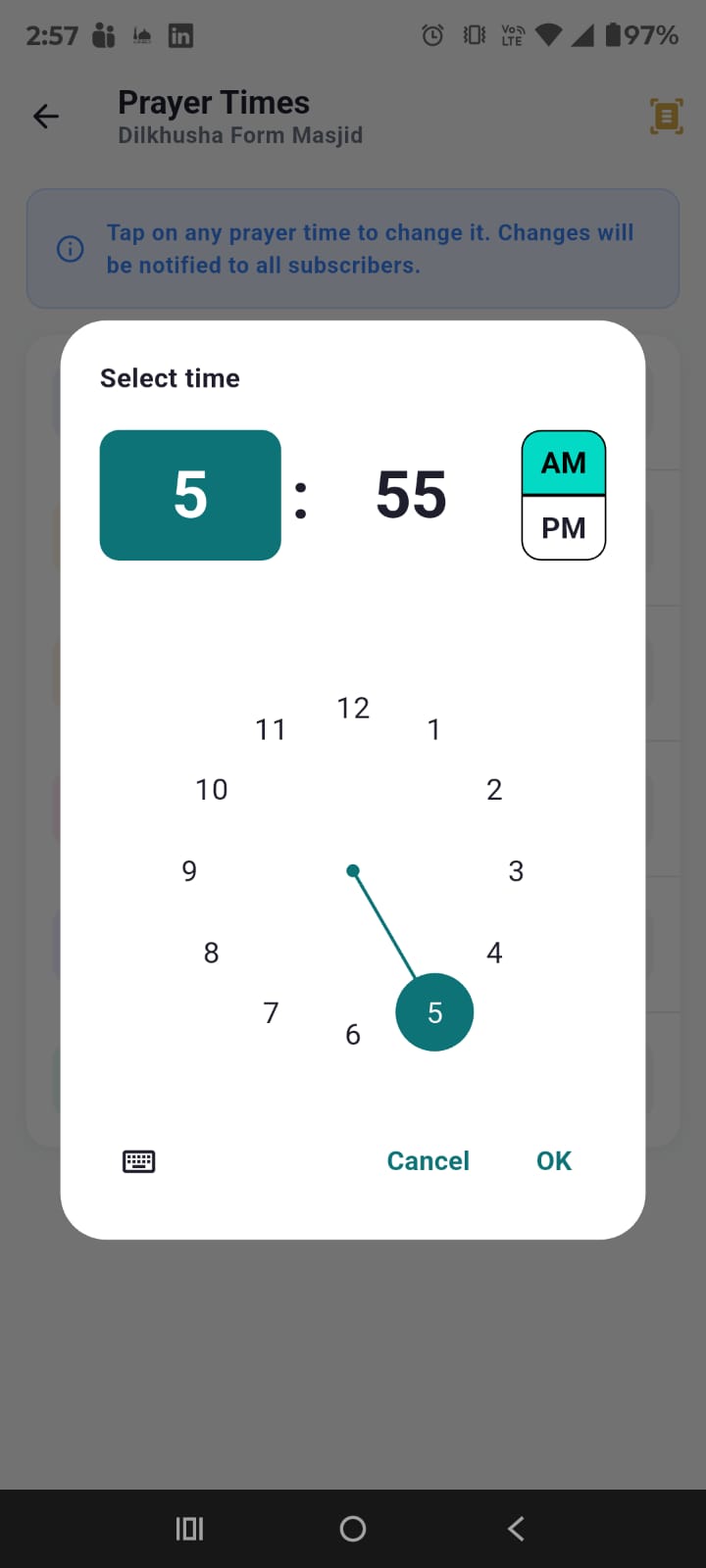
- Tap any prayer time to open a time picker
- Changed times are highlighted with "Edited" badges and yellow indicators
- A yellow warning banner appears showing count of unsaved changes (e.g., "2 unsaved changes")
- Tap "Reset" (undo icon) to revert all changes back to original times
- Tap "Save" to apply all changes at once
- The last updated timestamp is shown at the bottom of the editor
OCR Scan Feature
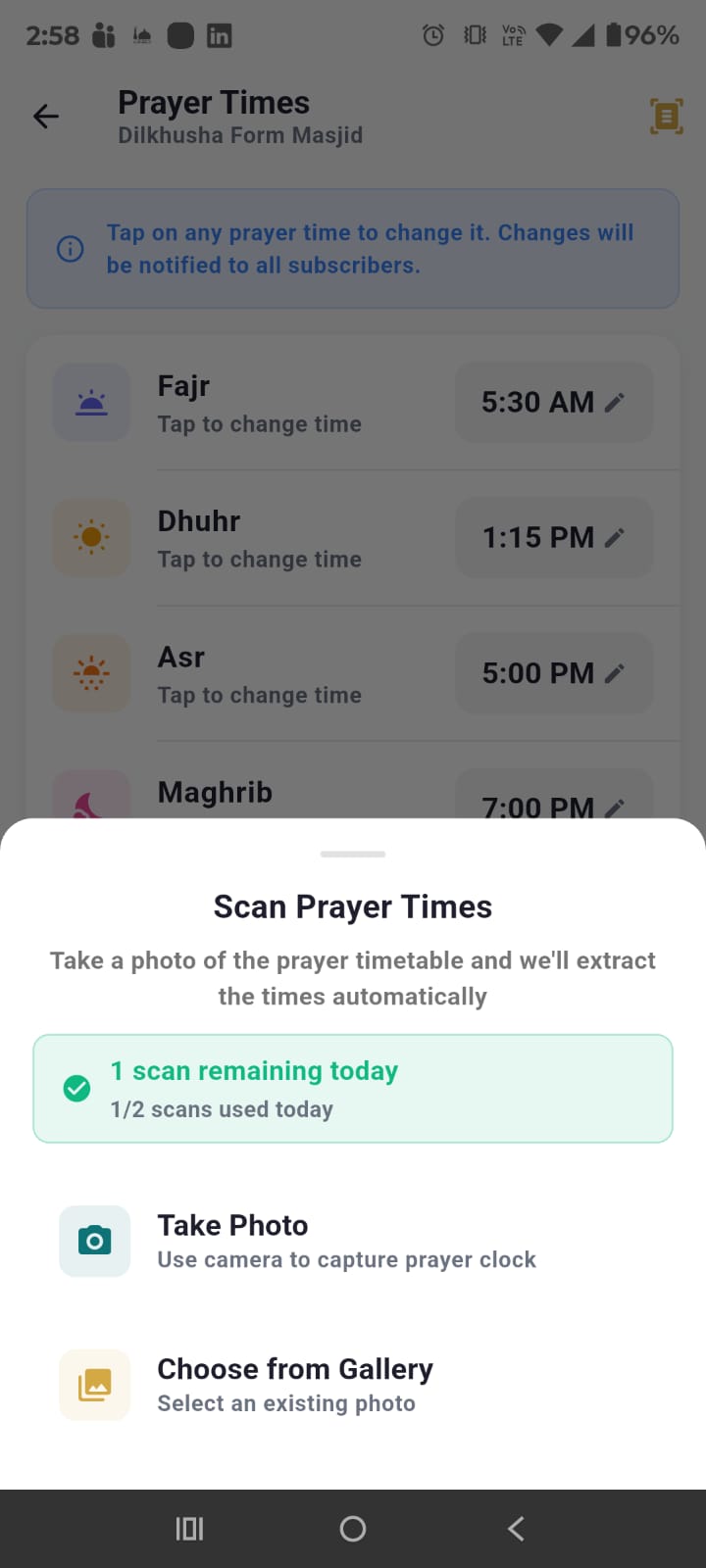
Take a photo of a printed prayer timetable and AI automatically extracts the times! Tap the scan icon in the Prayer Time Editor to:
- Check your scan status — a green/yellow indicator shows how many scans you've used today (e.g., "1/2 scans used today")
- Take a photo or choose from gallery
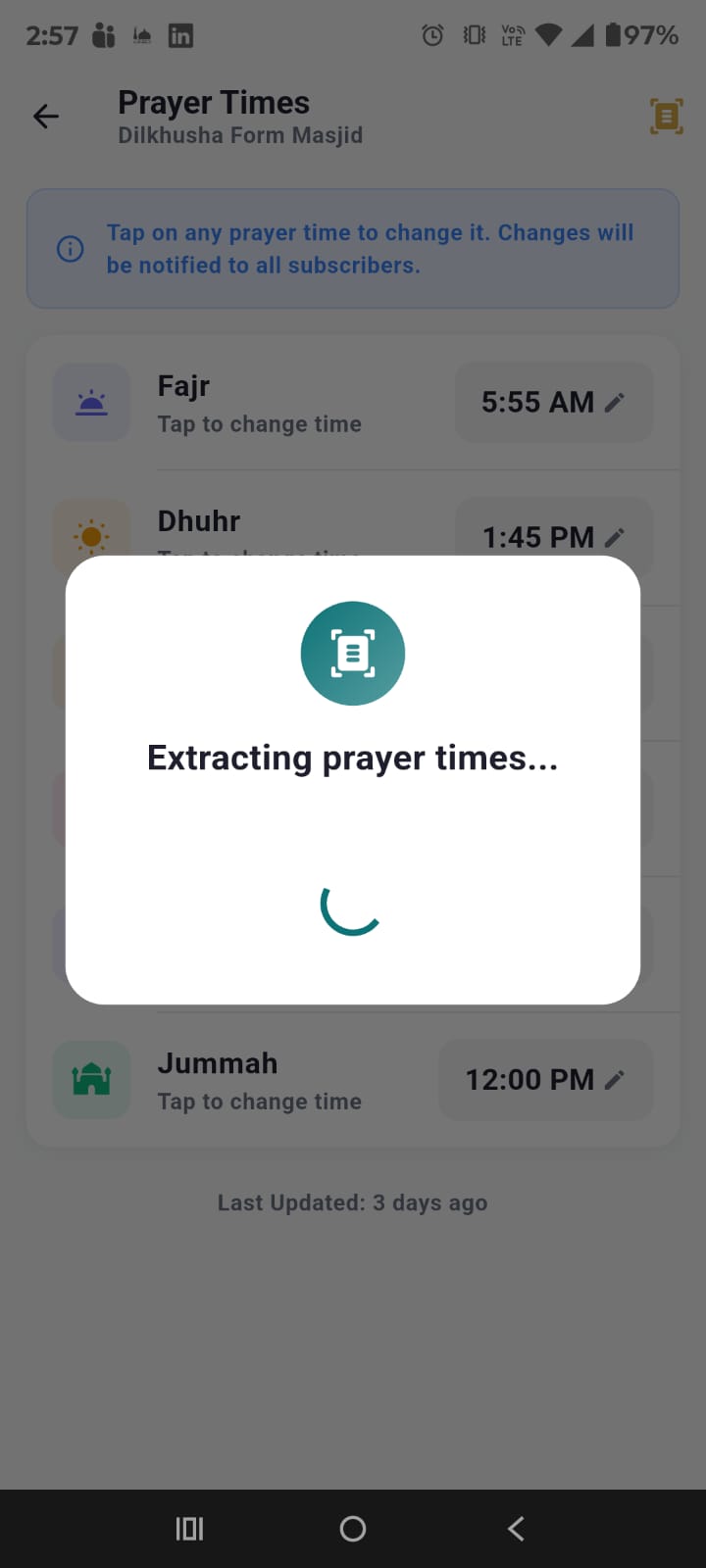
- AI processes the image and extracts prayer times
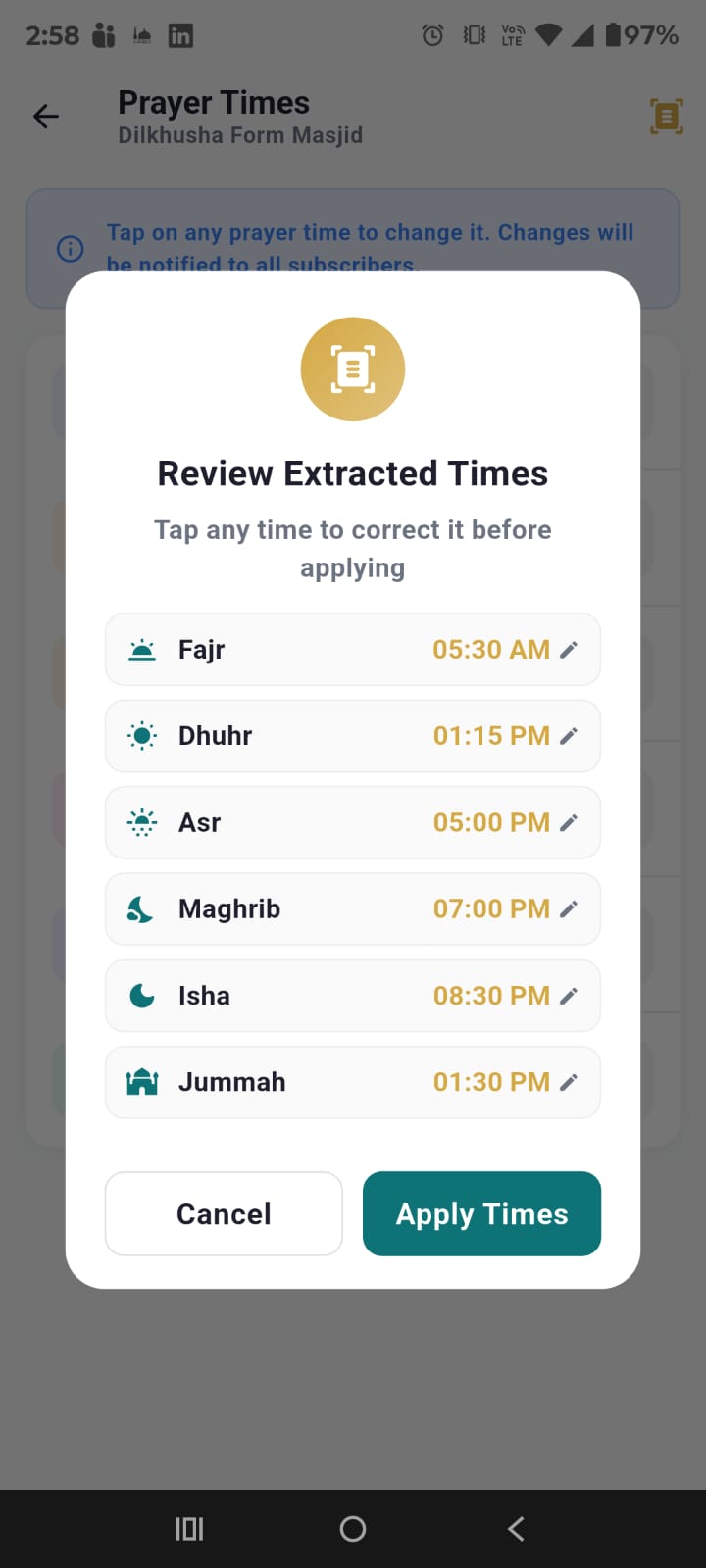
- Review the extracted times in a confirmation dialog
- Tap any extracted time to correct it with a time picker before applying
- Tap "Apply Times" to fill in the editor
Scan Limits
- Limited to 2 scans per day per admin to manage AI costs
- Green indicator — Scans remaining (e.g., "1 scan remaining today")
- Yellow indicator — Running low on scans
- "Scan limit reached" with hourglass icon when daily limit is exhausted
- Limits reset daily
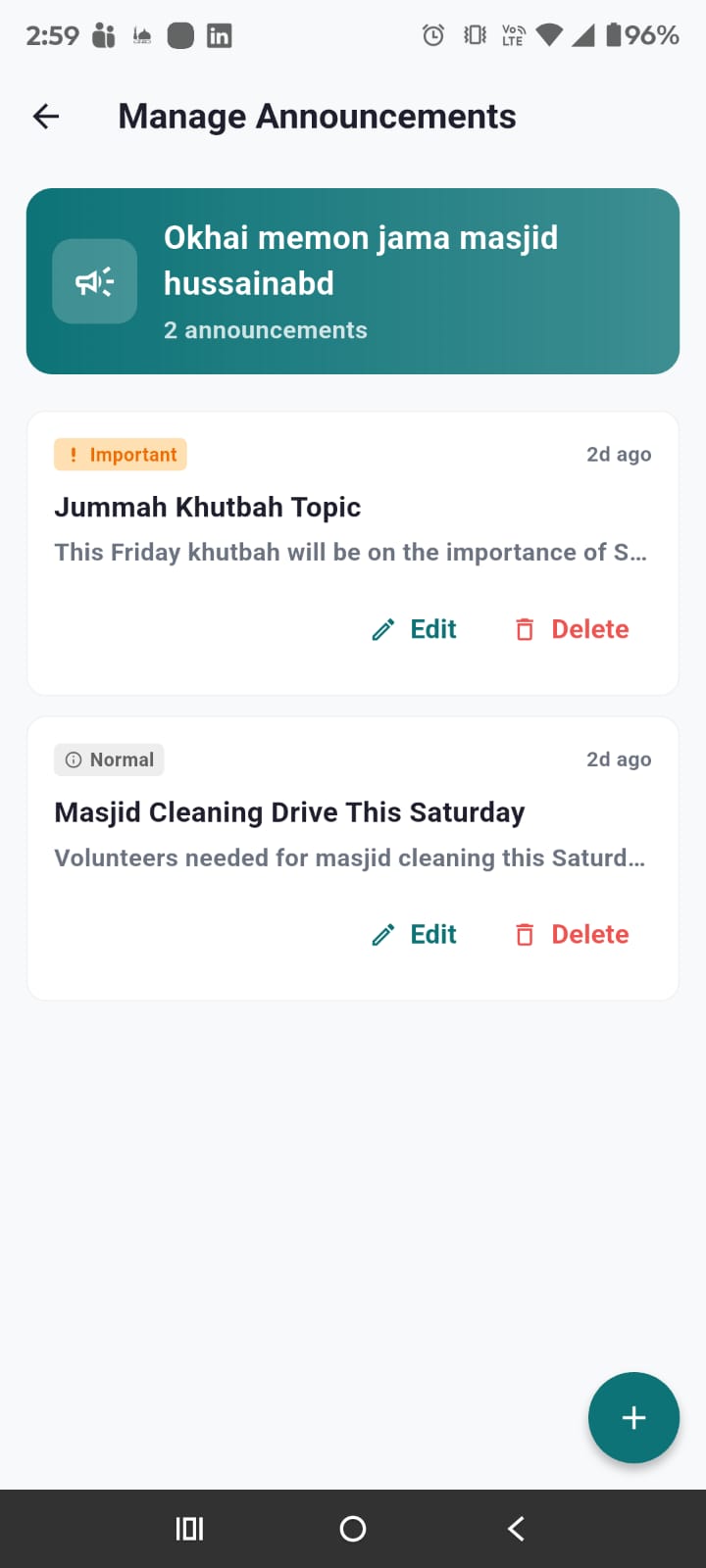
Announcements
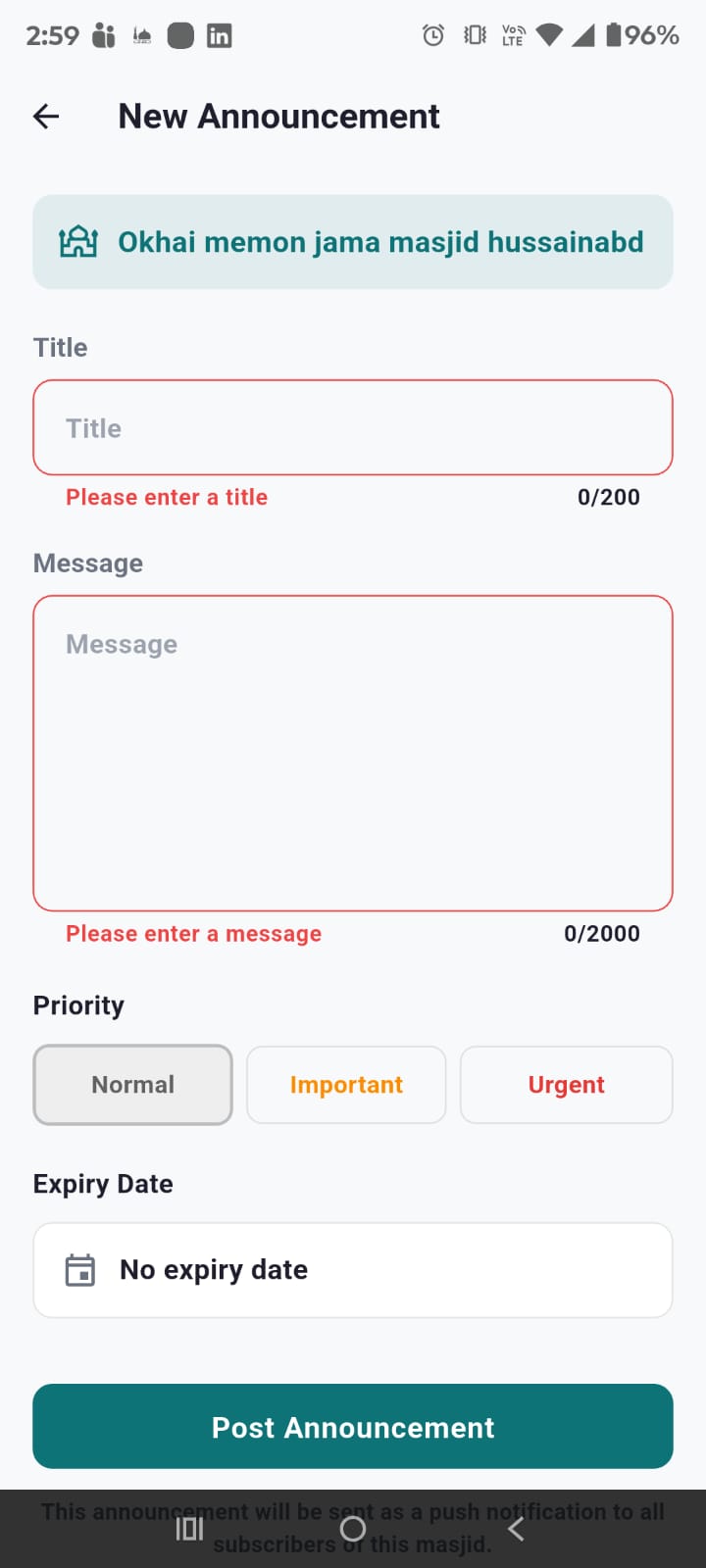
Create announcements with title, message, priority (Normal/Important/Urgent), and optional expiry date. All subscribers receive push notification on publish.
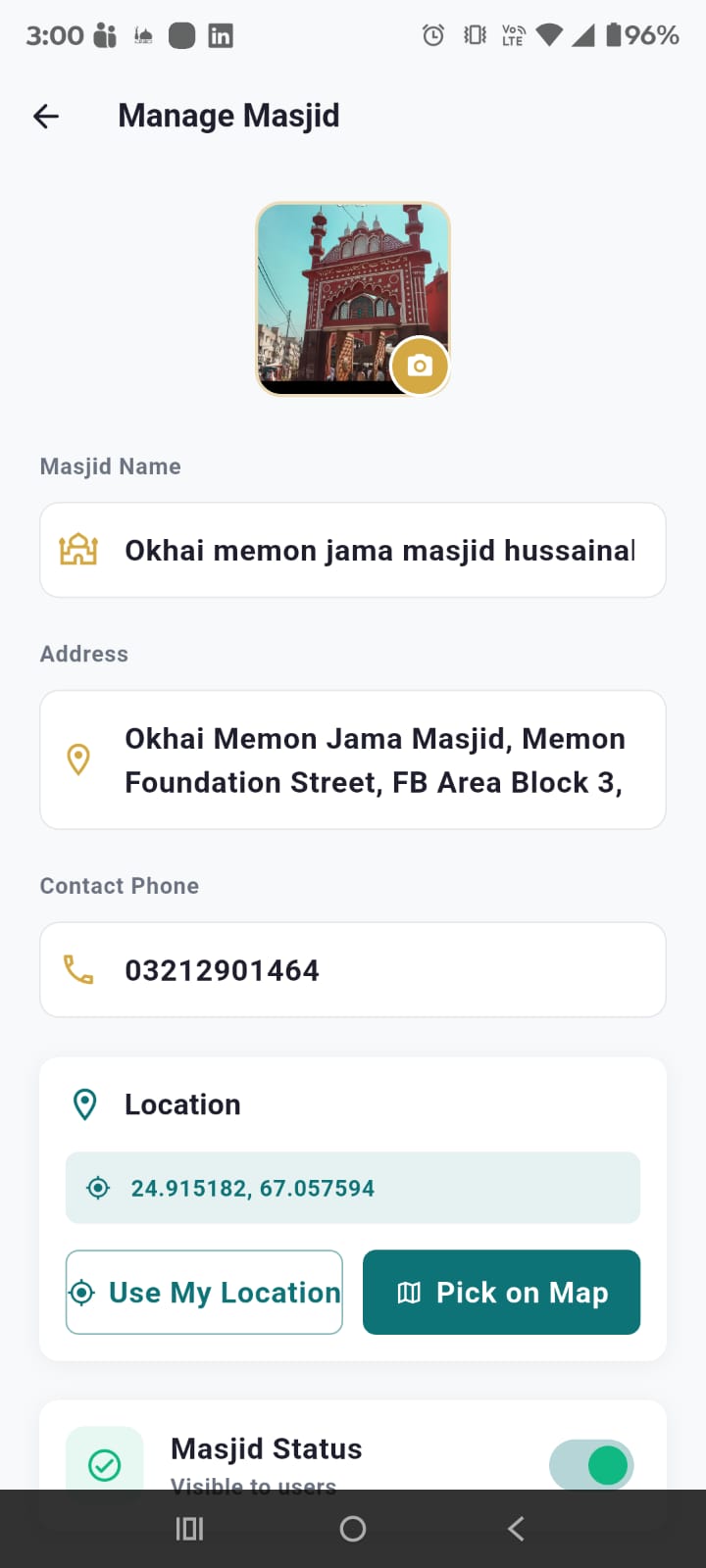
Manage Masjid
Edit masjid details including:
- Masjid photo — Tap the camera overlay to update the masjid image
- Name & Address — Edit masjid name and address
- Contact phone — Update contact number
- Location — GPS coordinates with "Use My Location" and "Pick on Map" buttons
- Active/Inactive toggle — Show or hide masjid from users
- Subscriber count — View current subscribers
- Delete masjid — With confirmation dialog
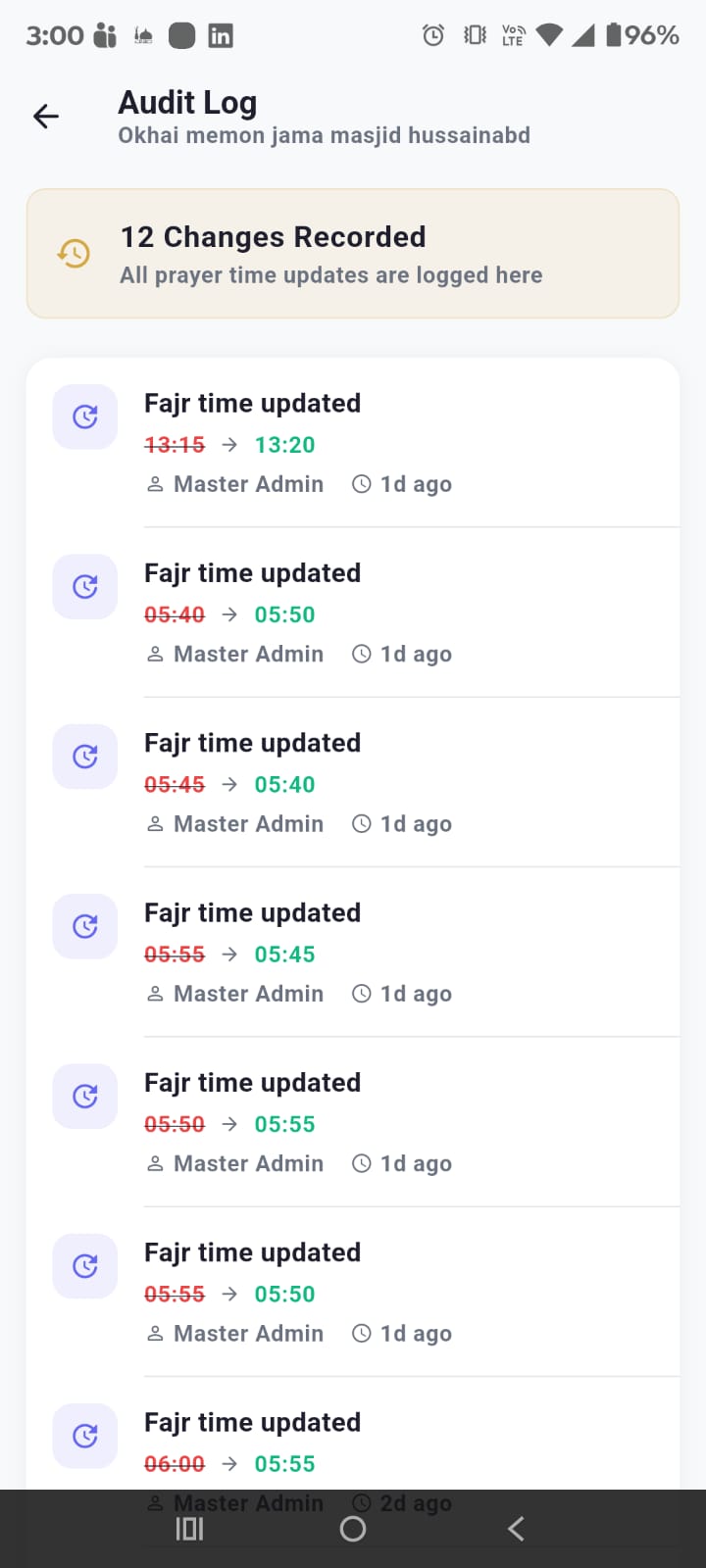
Audit Log
Complete timeline of prayer time changes: prayer name, old time → new time, admin name, and timestamp.
Multiple Masjids
One admin account can manage multiple masjids. Each appears in your Admin Dashboard.
16. For Super Admins
Super Admins approve masjids and assign admins. Super Admin
Pending Requests
Profile > "Pending Requests" shows all new masjid submissions. Review name, address, contact, and location.
Approve or Reject
- Approve — Masjid becomes active and visible
- Reject — Provide reason, visible to submitter
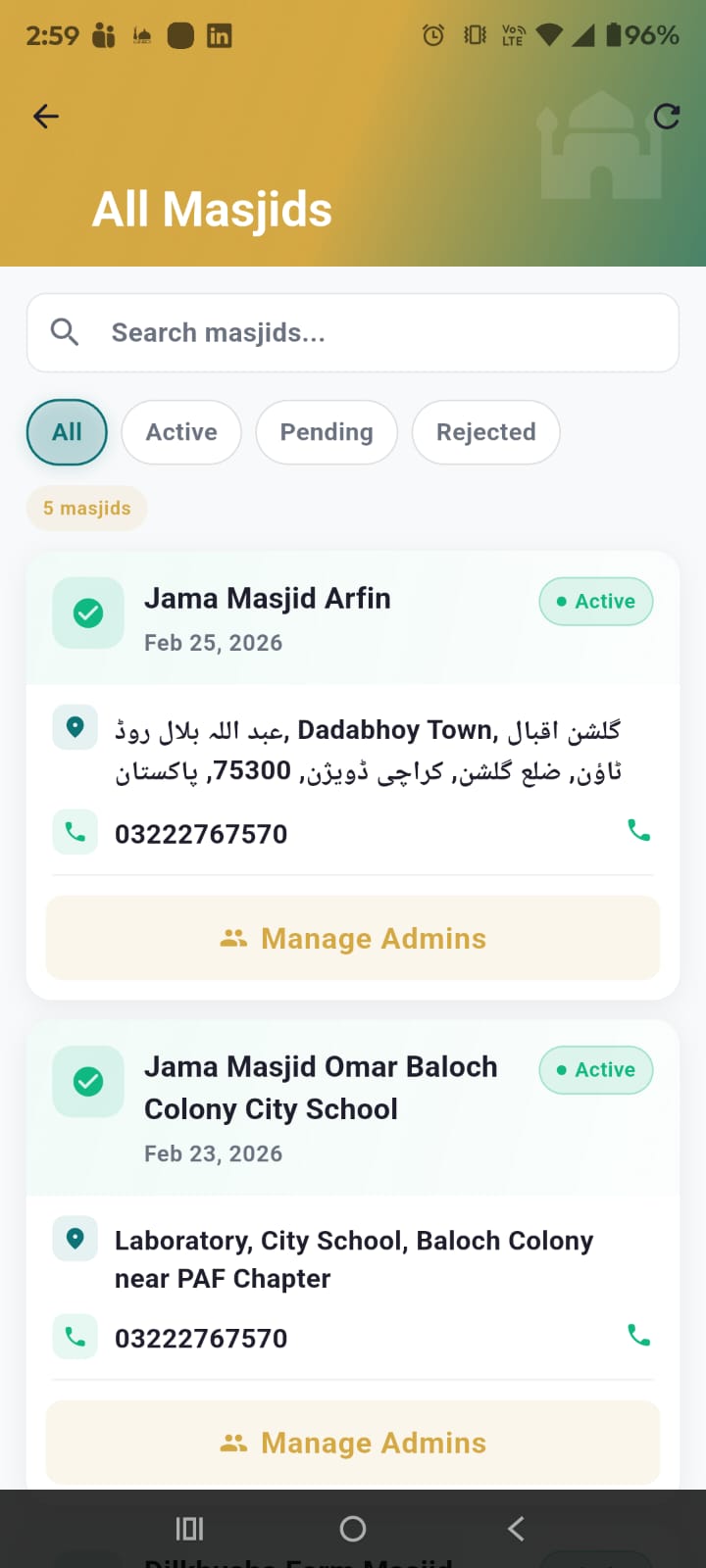
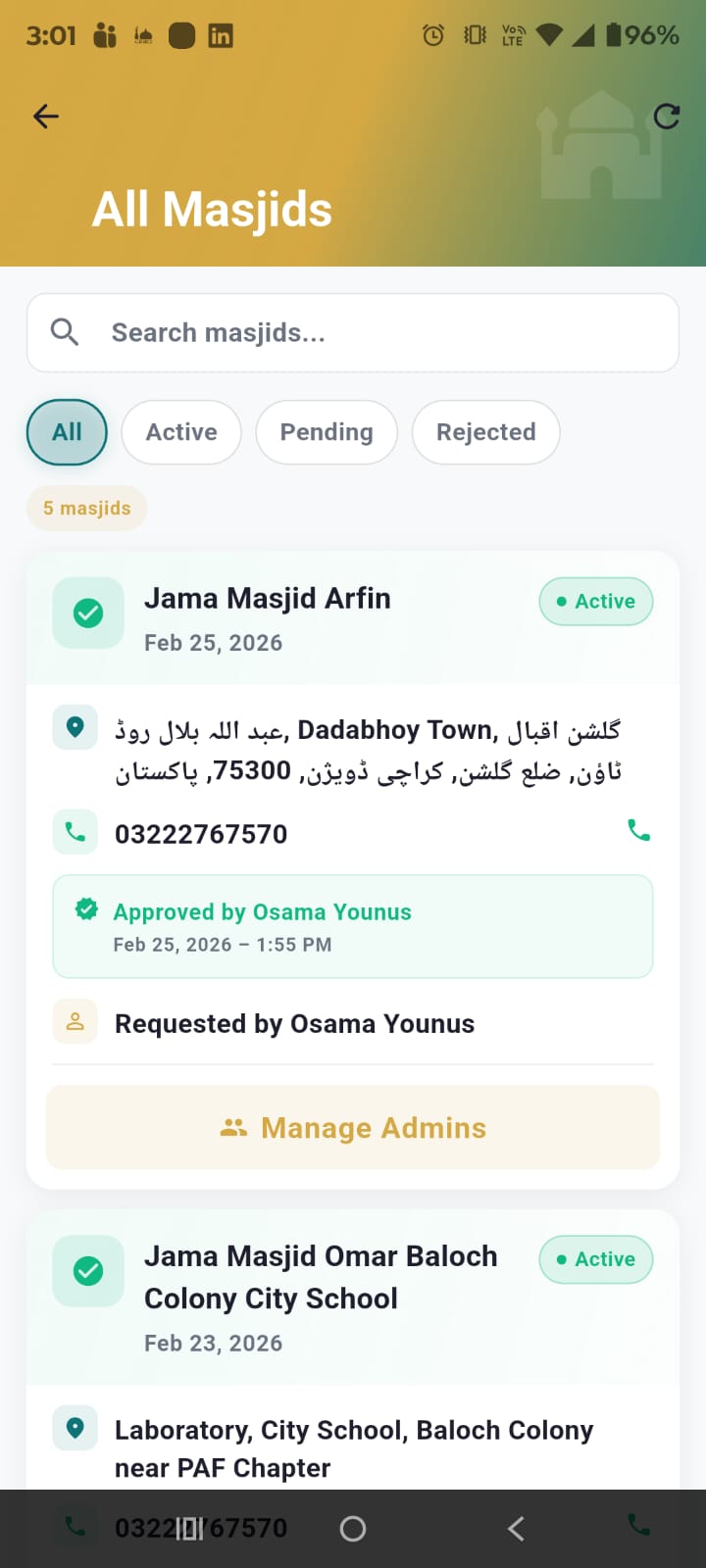
All Masjids
View all masjids with status filter tabs: All, Active, Pending, Rejected. Shows count per status.
Manage Admins
For each masjid, Super Admins can manage admin assignments:
- Search users — Find users by name or email to assign as admin
- Assign roles — Owner (full control), Editor (update times), or Viewer (read-only)
- Remove admins — Revoke admin access with confirmation dialog
- Current admins list — Shows all admins assigned to the masjid with their roles
17. Master Admin
The Master Admin has full system control. Only one exists, seeded on startup. Master Admin
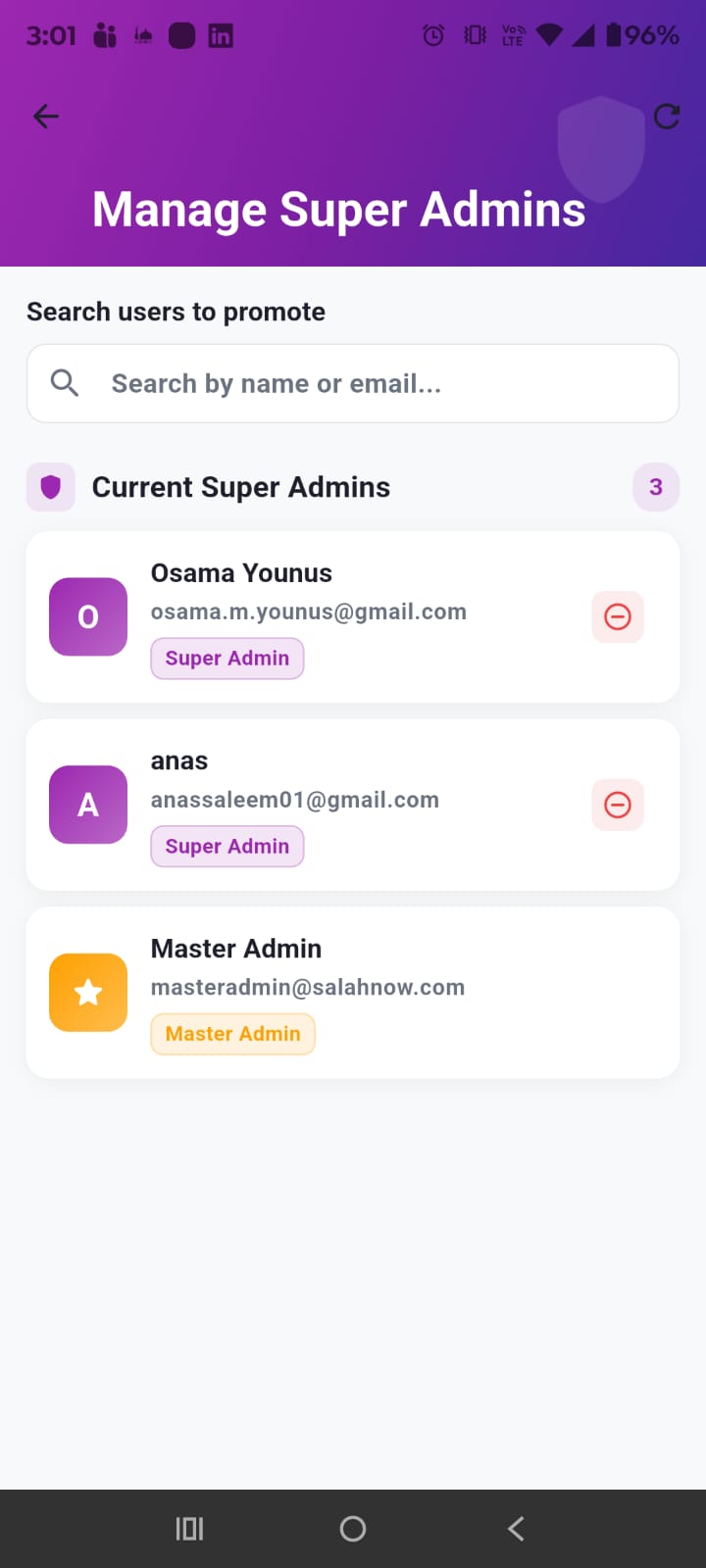
Manage Super Admins
- View all current Super Admins with role badges
- Search users by name/email to promote
- Promote any user to Super Admin
- Demote Super Admin with confirmation
- Master Admin badge shown with star icon — cannot be demoted
OCR Scan Logs
Master Admin can view all AI OCR scan attempts across the system, including who scanned, when, which masjid, and usage against configured limits.
Full Access
Master Admin has all Super Admin + Masjid Admin + Regular User permissions. Cannot be demoted.
18. Tips & Best Practices
Get the most out of SalahNow with these tips.
⏰ Set 15-Minute Reminders
Gives you enough time to prepare and reach the masjid comfortably.
🔔 Enable Notifications
Check Android Settings > Apps > SalahNow. Disable battery optimization for timely delivery.
🕌 Subscribe Smart
Only subscribe to masjids you actually pray at for clean, relevant notifications.
🌙 Dark Mode for Night
Use dark mode for Fajr and Isha. Set "System" theme to auto-switch.
📢 Check Ramadan Announcements
Masjids post Taraweeh times, Iftar schedules, and special events.
🔄 Keep Updated
Enable auto-update on Play Store for new features and bug fixes.